
Agrello January 2026 product updates: Lithuanian ADOC format support, sharing signing invitations via links and QR codes, and CSV export for form data.
The new year started strong at Agrello. In January, three important updates landed on the platform that make everyday document workflows faster and more flexible – from Lithuanian signature format support to sharing signing invitations directly through messaging apps.
Lithuanian ADOC format support
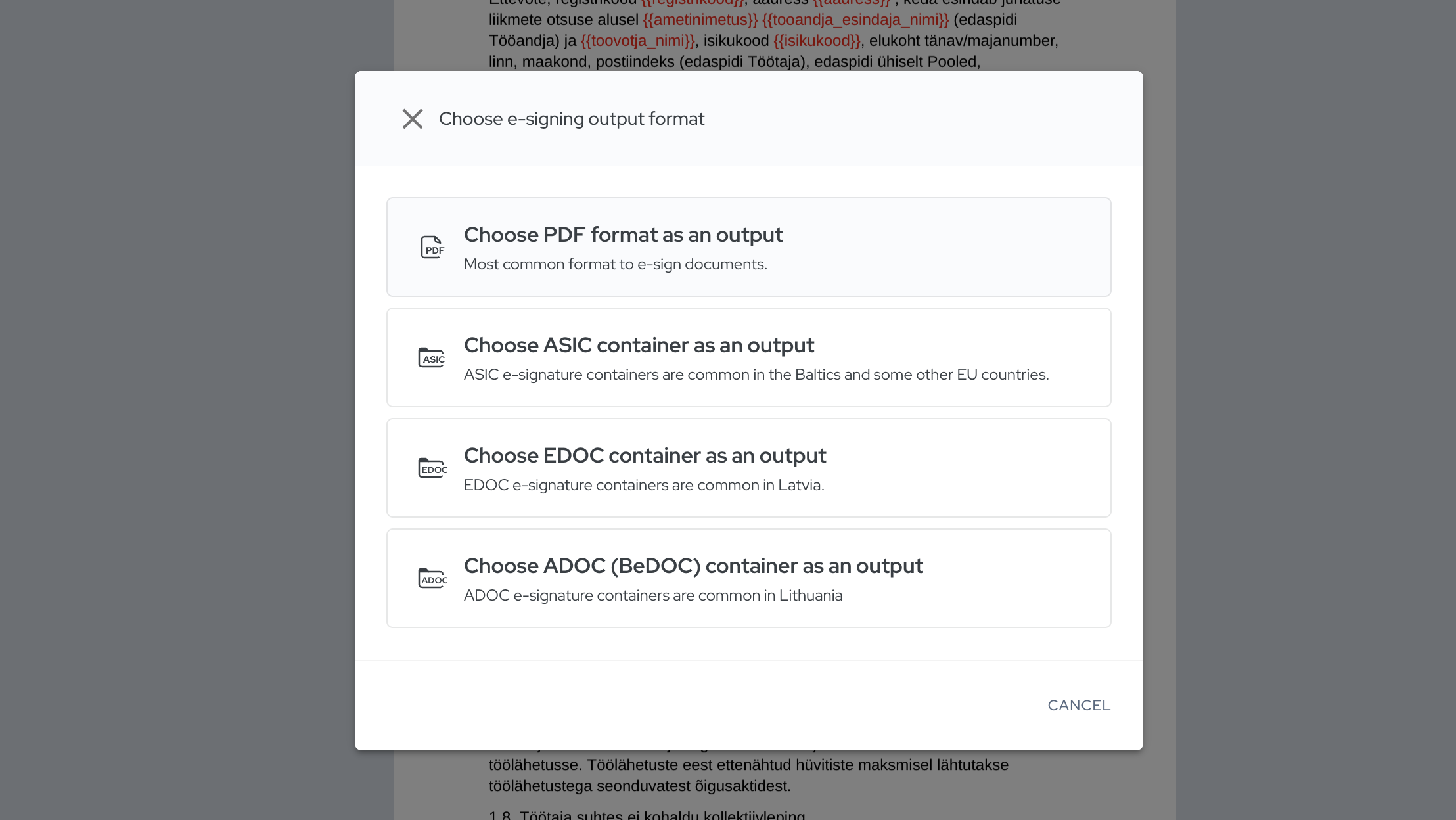
Agrello now supports the Lithuanian secure signature container ADOC. This means that businesses working with Lithuanian partners and clients can choose exactly the output format their Lithuanian colleagues expect and are accustomed to.
ADOC is a widely used secure signature container in Lithuania that meets the country's e-signing requirements. If your workflow involves cross-border contracts between the Baltic states, this update is especially useful – no more worrying about format compatibility.
Choosing the format is simple: when signing a document, select ADOC as the output format and you're all set.
Share signing invitations via links and QR codes
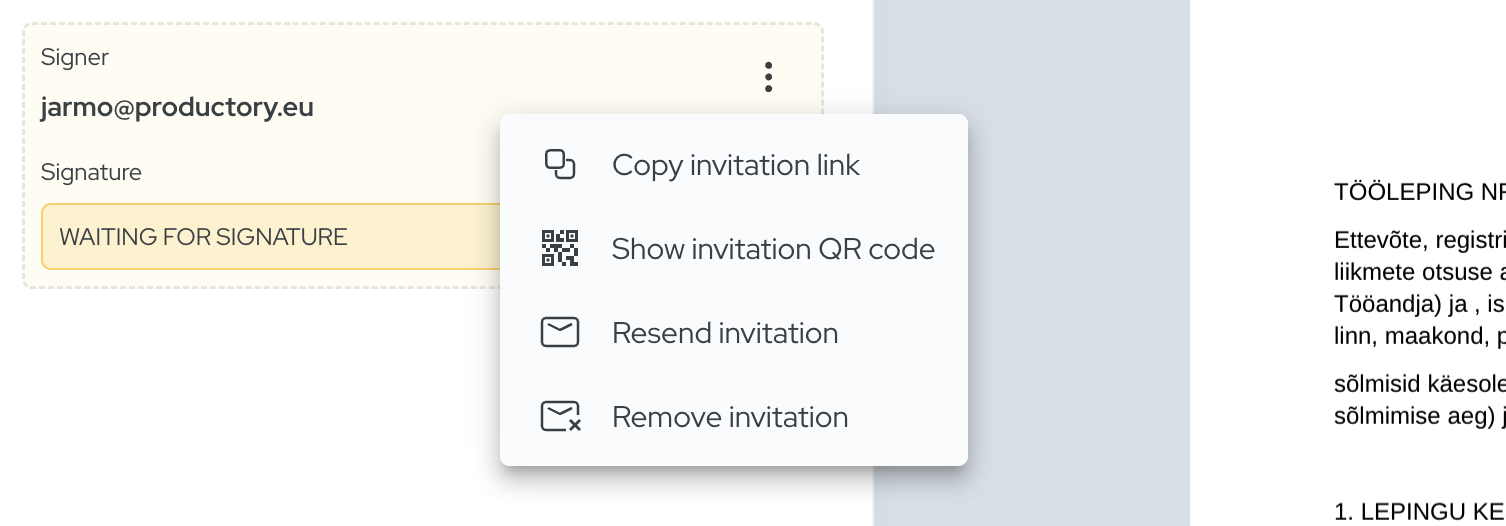
Inviting someone to sign doesn't always have to go through email. Now you can copy a signing invitation link in Agrello and share it through whichever channel is most convenient at the moment – whether that's WhatsApp, Telegram, Messenger, or even SMS.
But that's not all. You can also share the same link as a QR code. This opens up some really interesting use cases:
- Couriers and handover documents. Imagine a courier delivering goods and needing a signature on the handover report. All the courier needs to do is show a QR code on their phone – the other party scans it with their mobile and can sign immediately in Agrello. No need to know the other person's email or Messenger account.
- Events and training sessions. Collect signed consent forms or attendance sheets on the spot simply by showing a QR code to participants.
- Customer service points. A QR code displayed on a counter or screen lets customers fill out and sign a form on the spot, without anyone having to manually send an invitation.
The result: signing reaches people wherever they are, eliminating the need to know their email address or send a separate invitation.
Form data export as CSV
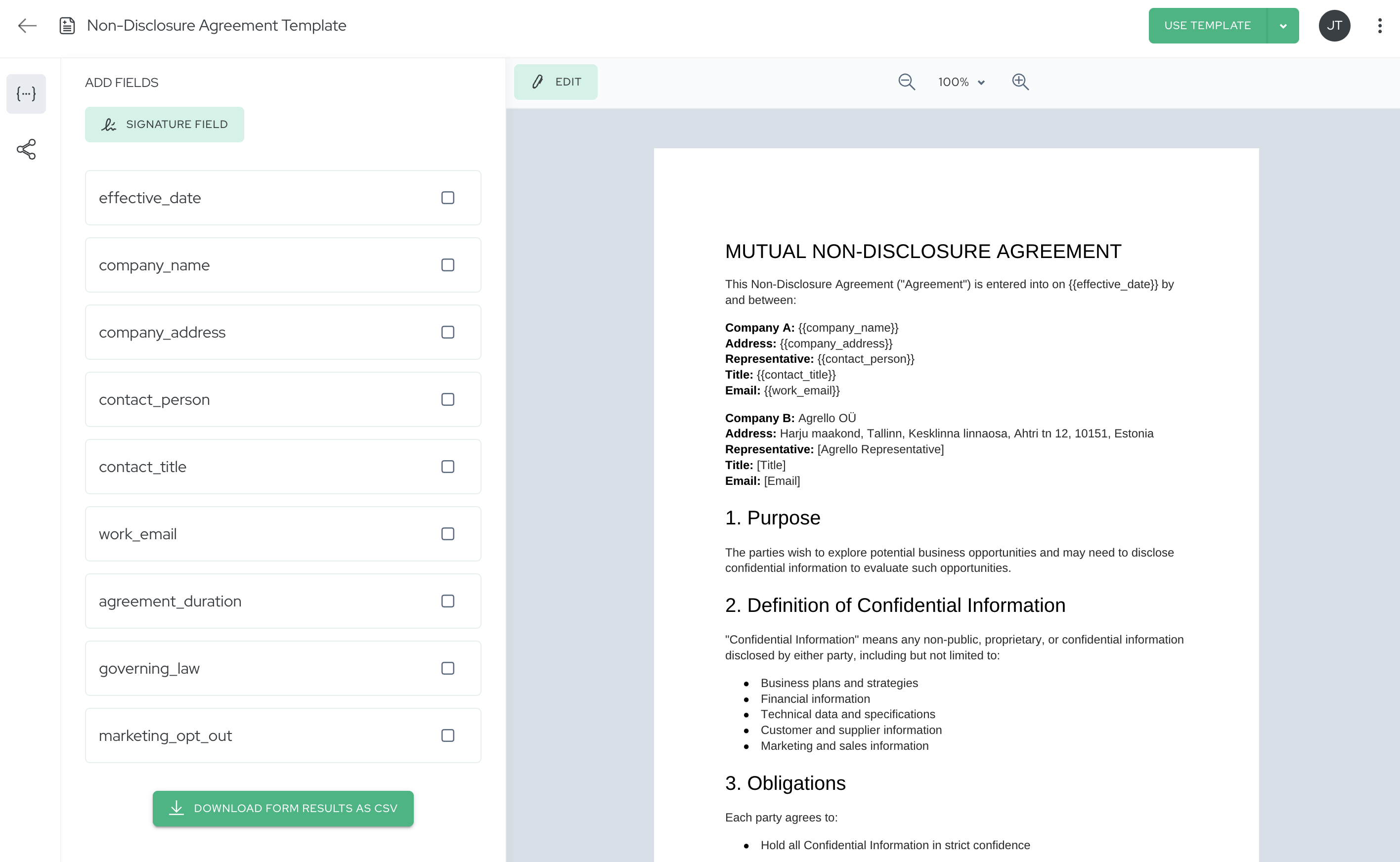
If you use Agrello's signable forms or template contracts, you know that each signing generates valuable information – names, contact details, dates, preferences. Until now, you had to manually extract this data from individual documents. Not anymore.
With this new feature, you can download all form data collected through a specific template as a single CSV file. Imagine: you've sent out dozens of NDAs over the past month and now want a quick overview of who has signed and what data they entered. Instead of opening PDFs one by one, simply go to the template, select the "Fields" tab on the left, and click "Download form results as CSV". Within seconds, you'll have a clean spreadsheet with all the data.
This is especially useful for:
- HR – quickly export onboarding form data to your HRIS system.
- Sales – import signed NDA data into your CRM without manual entry.
- Compliance – consolidate safety permit and consent data for audits.
No more manually tracking data across PDFs – everything is available in a ready-to-use format.
All three updates are already available to all Agrello users. Give them a try and let us know how they make your work easier!
Log in and try now | Create a free account
Questions? Get in touch – we're happy to help!
Ready to get started?
Join Agrello and manage your contracts the smart way.