Learn what document templates are in Agrello, how they work, and when to use editable vs PDF templates.
1. Introduction
In Agrello, a template is a Word or PDF file that may contain dynamic fields marked with {{curly_brackets}}. These fields are detected by Agrello’s system, and can be filled with data once you create a new document based on that template.
Ready to build templates step by step? Use the implementation guide.
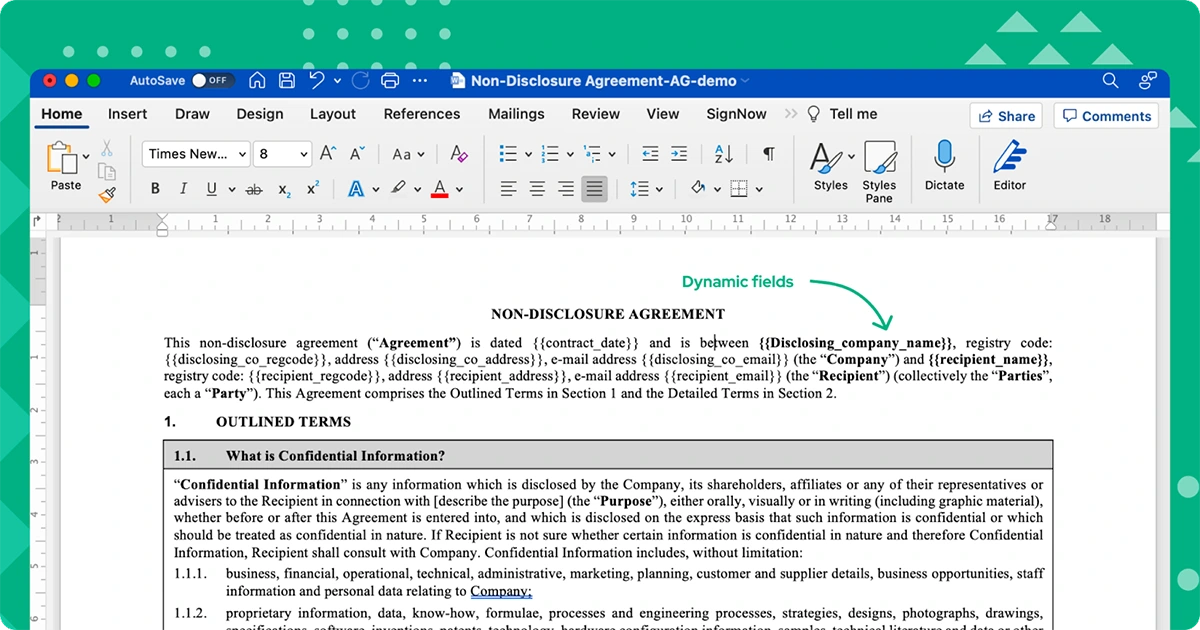
Simply create a Word document or PDF and upload it to Agrello as a template to reuse it continuously.
2. Template types
Agrello has 2 types of templates, Editable and PDF template.
2.1. Editable Templates
When you upload a Word document as a template, you can still modify it in Agrello using our built-in Word processor.
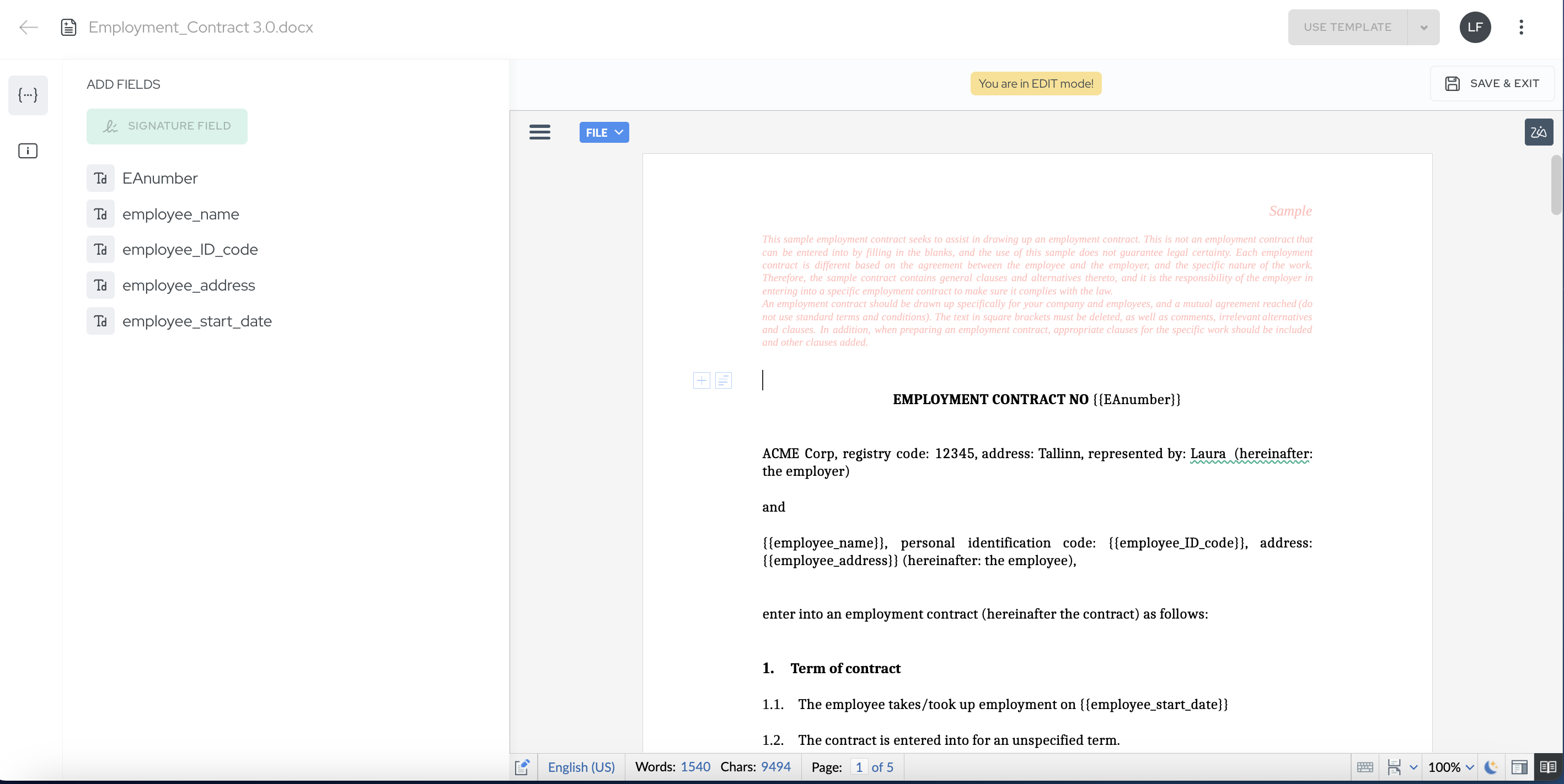
When you create a new contract based on editable template, the contract also remains editable in Agrello. This is great for contracts that may require ongoing adjustments.
2.2. PDF Templates
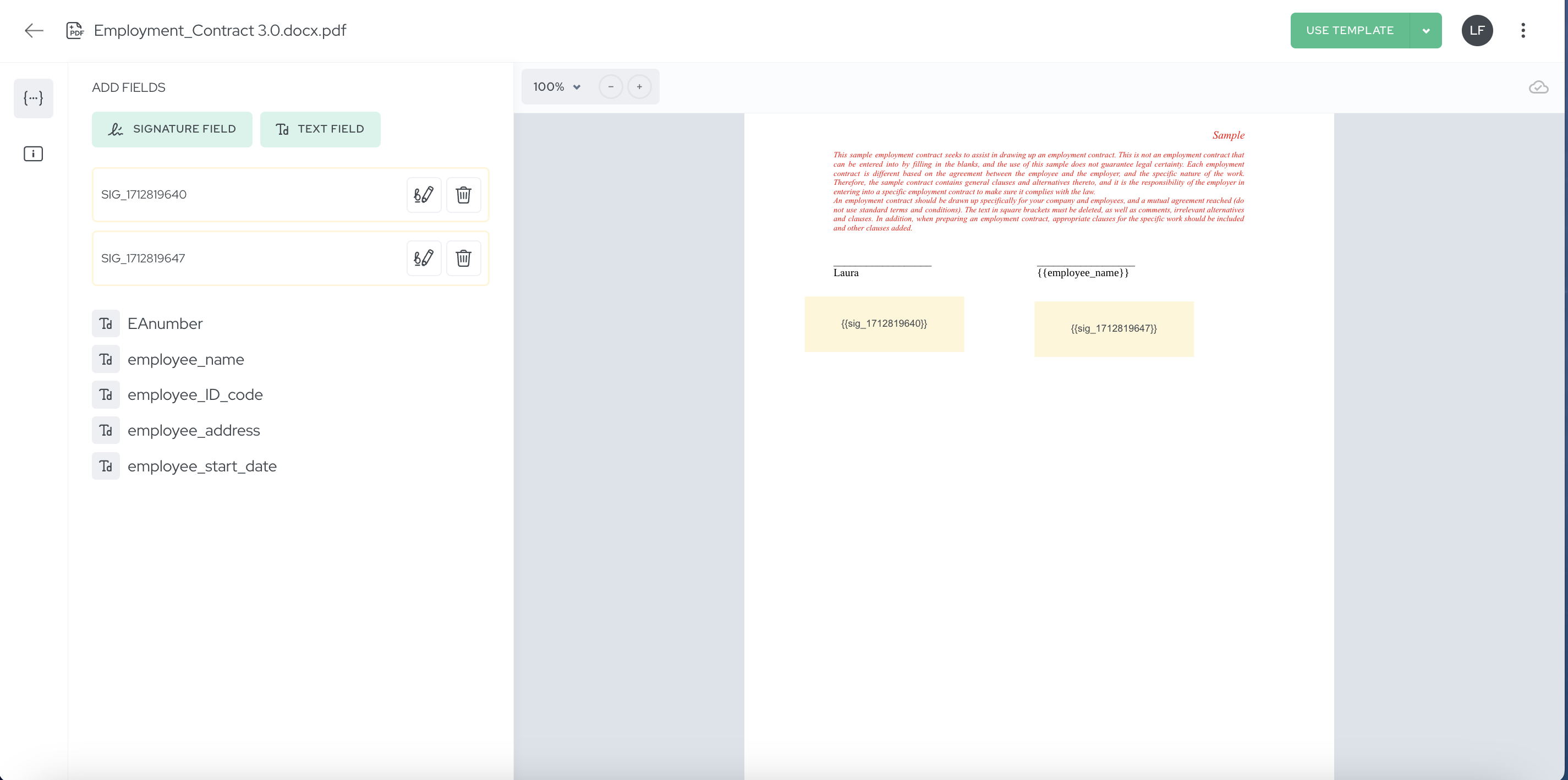
Creating a PDF template involves either uploading a PDF document, or converting an editable template into a PDF template. The template will be unmodifiable in Agrello at a later stage. PDF templates allow you set up signature and PDF text fields.
PDF templates are ideal for standardised documents that can be promptly sent for signing.
Note also that only PDF templates can be used for Zapier integration and other API-based integrations.
To conclude, Agrello templates provide an efficient and customizable way to create contracts, saving time and ensuring consistency and accuracy in the process.
Ready to get started?
Join Agrello and manage your contracts the smart way.