
Send documents signed in Agrello to SharePoint. Learn how the integration fits your document workflow and why setup involves your IT team.
Business document workflows often span several systems. The information needed to prepare a contract may live in an HR platform or CRM, while the document is prepared and signed elsewhere. Once complete, it still needs to be stored in the right place for the organisation.
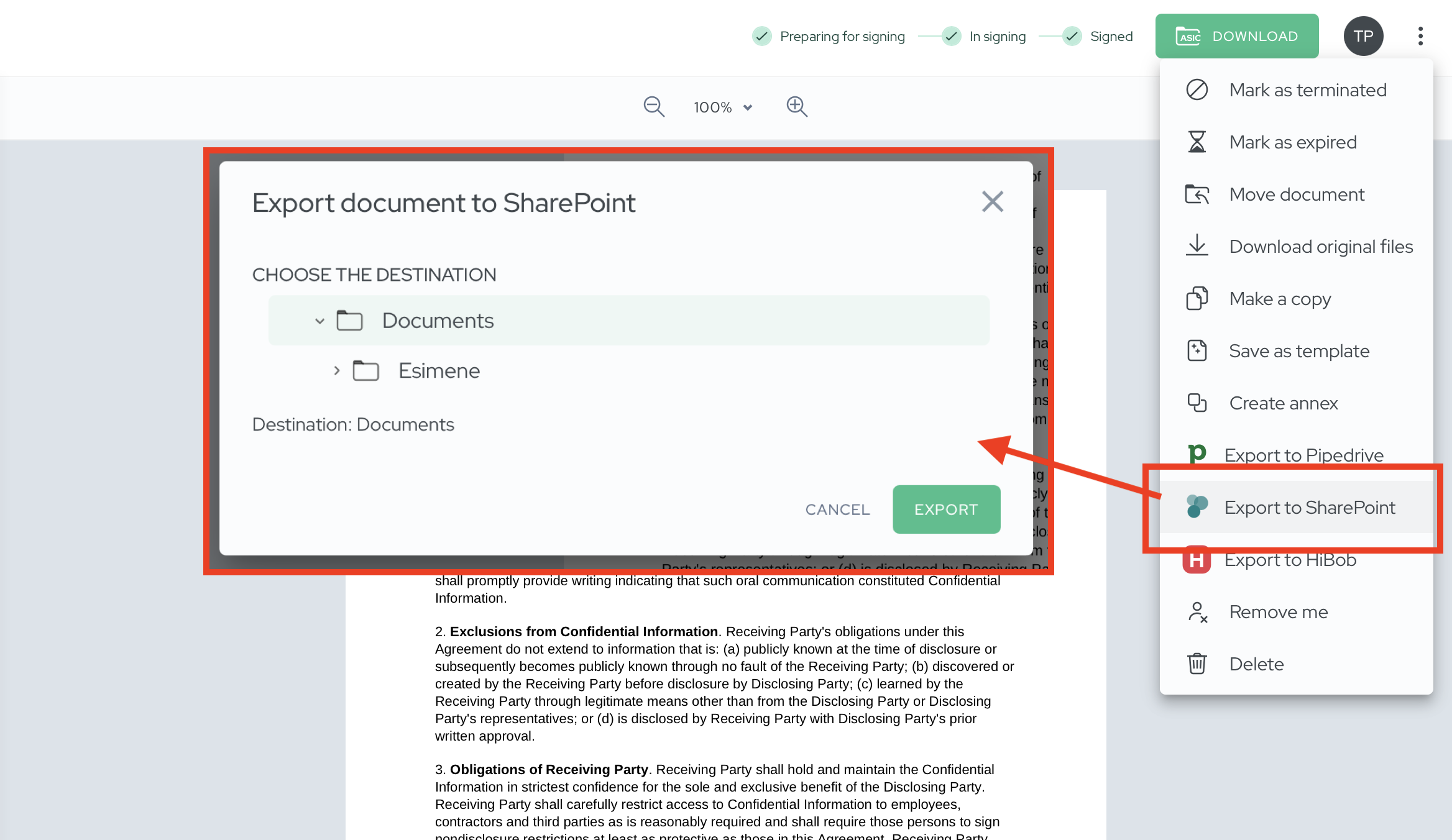
With the Agrello and SharePoint integration, documents signed in Agrello can be sent directly to your organisation’s SharePoint. SharePoint remains your document repository, while Agrello helps manage the document preparation and signing workflow.
Connect the tools your team already uses
Improving a document process does not have to mean replacing the systems employees already know. Agrello can complement your existing setup: information comes from a system such as an HR platform or CRM, the document is prepared in Agrello, and the signed version is sent to SharePoint.
A typical workflow can look like this:
- Prepare a document from a template using information already available in your business systems.
- Review the document and make any necessary changes.
- Send it through an internal approval workflow when needed.
- Collect electronic signatures.
- Send the signed document from Agrello to SharePoint.
This helps avoid downloading the completed file and manually uploading it to SharePoint after signing. The document can move to its intended repository as part of the workflow.
Keep SharePoint as your document repository
Many organisations already use SharePoint as their central place to manage files. Contract preparation and signing can happen in Agrello, where the process is designed to work for both employees and external signers. Once signed, the document can be sent back to SharePoint, where the team can find it through its usual document management practices.
Who is the SharePoint integration for?
The integration is for teams that prepare and sign documents in Agrello and want signed files to remain in their existing SharePoint environment. It can be useful for HR, sales, and other teams whose documents involve several systems but need to end up in a shared repository after signing.
If you already use other Agrello integrations, SharePoint can be the final step in the workflow: data from a business system helps prepare the document, Agrello supports signing, and the completed document is sent to SharePoint. The current integration supports sending signed documents from Agrello to SharePoint.
Agrello also supports a separate way to work with files stored in SharePoint: sync a SharePoint document library to your computer using the OneDrive desktop app, then upload files to Agrello. This is a different workflow. Read our guide to using Agrello with SharePoint, Google Drive, and Dropbox.
How to get started
Initial setup requires participation from your IT team or SharePoint administrator so the connection can be configured for your organisation’s environment and access policies. The Agrello team can guide you through setup and help you get started. If an external IT provider manages your SharePoint environment, it is useful to involve them early.
Want to connect Agrello with your organisation’s SharePoint? Contact our team to get started.
Ready to get started?
Join Agrello and manage your contracts the smart way.