Overview
This guide walks you through the practical ways AI takes over the heavy lifting in your document lifecycle. You will learn how intelligent automation handles everything from setting up fields to chasing down signers. We will look at smart routing for approvals, how to handle bulk documents without drowning in paperwork, and why AI is your best defense against human error. By the end, you will understand exactly how to reclaim your time while ensuring every contract is signed, sealed, and compliant.
Streamlining Document Preparation and Field Detection
The first bottleneck in any signing process is usually the setup. You have to upload a file and manually drag boxes for dates, names, and signatures. It is tedious work that invites mistakes. AI solves this by analyzing the document structure the moment you upload it.
Modern tools use natural language processing to "read" your document like a human would. The system identifies standard clauses, signature lines, and date fields automatically. Instead of dragging and dropping twenty distinct boxes, the AI suggests the correct placement for you to confirm. This feature alone cuts preparation time significantly for teams handling high volumes of paperwork.
Tools like Agrello leverage this type of intuitive interface to ensure you spend less time setting up documents and more time closing deals. When the software handles the layout, you avoid the embarrassment of sending a contract that is missing a crucial signature field. For a closer look at the underlying technology powering these intuitive features, check out AI Technologies Behind Document Automation.
Transitioning from preparation to the actual signing process requires getting the document to the right people in the right order.
Automating Approval Workflows and Routing
Once a document is ready, figuring out who needs to sign it and when can get complicated. Simple contracts might only need one signature, but complex agreements often require a specific chain of command. AI document signing automation removes the guesswork by applying conditional logic to your workflows.
You can set rules that tell the system how to behave based on the document's content. If a sales contract exceeds a certain value, the AI automatically routes it to a VP for approval before sending it to the client. If the value is lower, it might go straight to the customer.
-
Sequential Signing: The AI ensures Person A signs before Person B receives a notification.
-
Parallel Signing: Multiple stakeholders receive the document simultaneously to speed up the process.
-
Conditional Routing: The path changes automatically based on data within the document, such as deal size or department.
This level of automation ensures compliance without manual intervention. You no longer need to remember complex company policies for every single agreement; the system enforces them for you. For a broader perspective on how e-signing fits into the future of office workflows, you might like AI Agents and the Future of Office Automation: Where Does E-Signing Fit?.
With the routing rules established, the next challenge is keeping the process moving without having to constantly check your email.
Real-Time Tracking and Smart Reminders
Sending a document is easy, but getting it back is hard. People forget, emails get buried, and deadlines slip. In a manual process, you become a professional nagger. AI takes this role off your plate by monitoring the status of every envelope in real time.
Intelligent systems track user behavior. They know when a recipient has opened an email, viewed a document, or left it sitting in their inbox. Based on this activity, the AI schedules automated reminders. It sends a nudge at the optimal time to encourage action without you having to lift a finger.
Consider the growing demand for these tools; the global digital signature market is projected to grow by $45.78 billion between 2024 and 2028. This surge is driven by businesses realizing that automated follow-ups lead to faster turnaround times. A digital signature platform effectively acts as a project manager for your paperwork.
This proactive tracking ensures that bottlenecks are identified immediately. If a document stalls for too long, the system can alert the sender to intervene personally, ensuring nothing falls through the cracks. For practical advice on getting the most out of reminders and field management, see Enhanced Signature Field Management and Bulk Sign Reminders.
While tracking individual documents is helpful, the true power of AI shines when you need to handle hundreds of them at once.
Scaling Operations with Bulk Signing
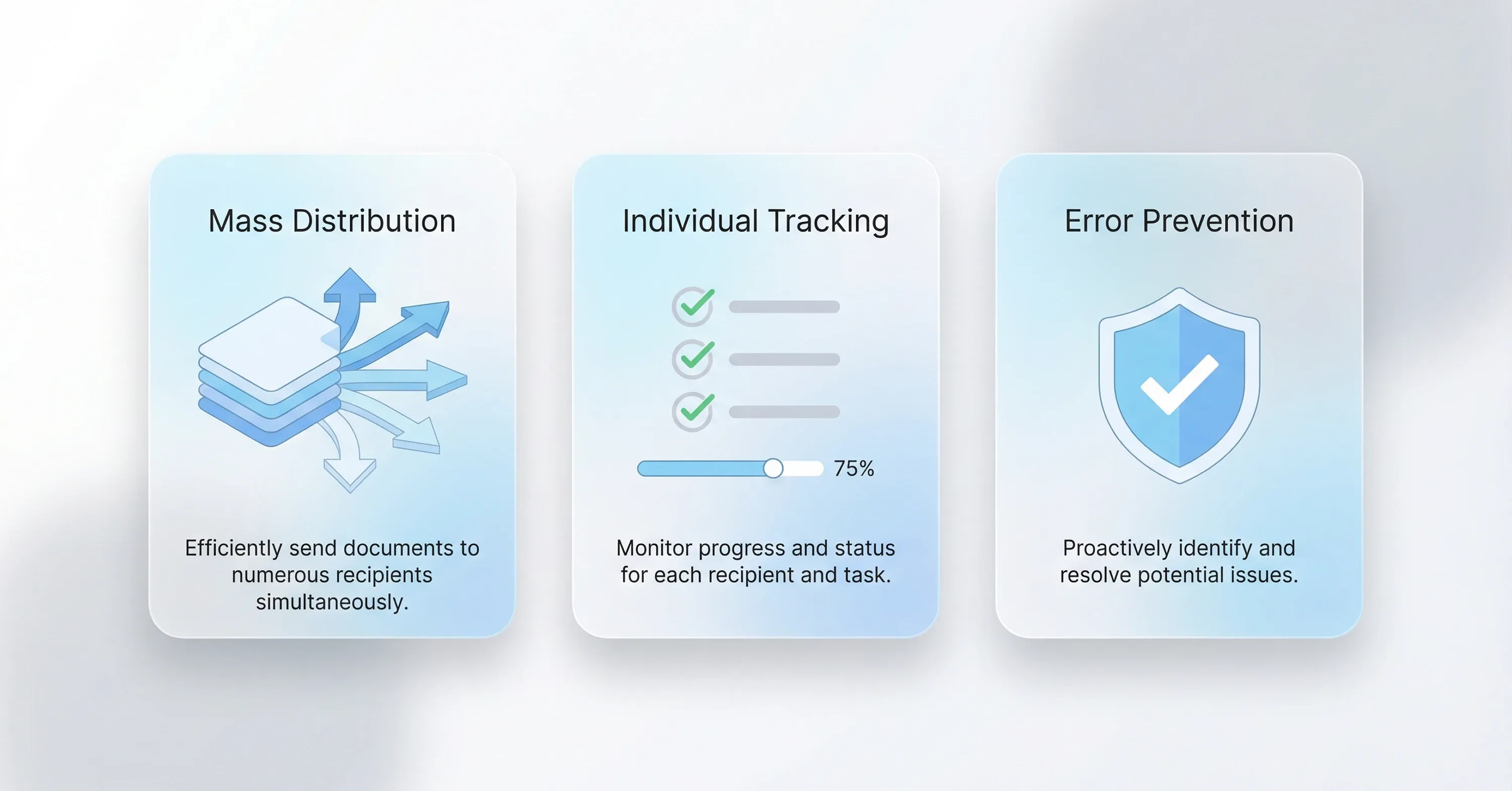
For HR departments or sales teams running promotions, sending documents one by one is impossible. You might need all employees to sign a new policy update or hundreds of vendors to renew agreements. AI facilitates bulk signing capabilities that personalize and distribute mass documents instantly.
You upload a template and a list of recipients. The AI merges the data, creating a unique document for each person, and sends them out simultaneously. It handles the volume that would otherwise require a team of administrators.
-
Mass Distribution: Send hundreds of agreements in a single click.
-
Individual Tracking: Monitor the progress of each recipient separately within a unified dashboard.
-
Error Prevention: The system validates data before sending to prevent mismatched names or details.
Platforms like Agrello allow teams to manage these bulk operations effortlessly, ensuring that scaling up your document volume does not require scaling up your headcount. For insights about automation and HR contract management, read From Paperwork to Smart Contracts – How AI and RPA Transform HR Contract Management.
Managing volume is critical, but ensuring the content of those documents is safe and accurate is even more important.
Reducing Errors and Risk Analysis
Human error is the silent killer of contract management. A missed clause, an incorrect date, or a signing field left open can invalidate an agreement. AI acts as a second pair of eyes that never gets tired.
Advanced AI tools can now analyze the text of contracts to flag risks or deviations from standard language. This capability is becoming a standard expectation in the industry. In fact, predictions indicate that 50% of organizations will use AI-enabled contract risk analysis and editing tools by 2027.
These systems compare new contracts against your organization's playbook. If a vendor sends back a contract with altered terms, the AI highlights the changes immediately. This protects your business from agreeing to unfavorable terms hidden in the fine print.
By combining this analytical power with secure digital signature technology, businesses create a fortress around their agreement processes. You get the speed of automation with the security of a legal review. For more on how AI simplifies contract management, explore Learn How AI Tools Like ChatGPT Simplify Employment Contract Management.
Key Benefits of AI in Document Signing
AI document signing automation transforms the contract lifecycle by introducing intelligence into every step.
-
Speed: Reduces turnaround time from days to minutes by automating prep and routing.
-
Accuracy: Eliminates human errors in field placement and data entry.
-
Visibility: Provides real-time tracking and automated follow-ups to keep deals moving.
-
Scalability: Allows for bulk processing of thousands of documents without extra staff.
-
Risk Reduction: Automatically flags non-standard clauses and risky terms before signing.
Conclusion
Adopting AI for your signing needs is about more than just going paperless; it is about going effortless. By automating the tedious parts of the document lifecycle - preparation, routing, chasing, and checking - you free your team to focus on high-value work. The market is moving fast, with the global digital signature sector expected to reach $238.42 billion by 2034, signaling that this technology is becoming the standard for efficient business. Whether you are handling a single complex contract or thousands of employee forms, AI provides the speed, security, and precision required to stay ahead.