Why Security Tops the Checklist in 2025
Remote work is no longer a perk, it is the norm. That shift explains why 78% of U.S. law firms now use e-signature software, and the market is racing toward USD 34.8 billion by 2028. With that growth comes attention from hackers, regulators, and auditors.
-
Confidentiality: Look for end-to-end AES-256 encryption in transit and at rest.
-
Authenticity: Advanced certificate-based signatures (CAdES, XAdES, PAdES) provide irrefutable proof of signer identity.
-
Compliance: SOC 2 Type II, ISO 27001, eIDAS, and HIPAA are no longer “nice to have” badges.
-
Longevity: Long-term validation (LTV) ensures signatures remain verifiable even after certificates expire.
Treat these four pillars as non-negotiable. The rest of this article measures each vendor against them. For an in-depth overview of how these pillars work in practice, check out Are Your Digital Contracts Secure? A Look Into E-signature Security.
Security Comparison: DocuSign vs Adobe Acrobat Sign
DocuSign and Adobe dominate mindshare, yet their security postures diverge in subtle ways.
Encryption and Key Management
DocuSign
-
AES-256 encryption at rest, TLS 1.2+ in transit
-
Optional Customer Key for tenant-owned encryption keys
-
Supports hardware security modules (HSMs)
Adobe Acrobat Sign
-
Same AES-256 baseline, but adds Adobe Cloud Signature with certificate pinning
-
Seamless integration with Adobe’s protected PDF format for tamper-proof storage
In practice, both tools tie here, but Adobe’s tight coupling with PDF/A gives auditors clearer evidence trails. For a detailed discussion of encryption standards such as AES-256 and their role in e-signatures, see How Trust Works Online: Verified Digital Signatures.
Compliance Portfolio
-
DocuSign: SOC 2 Type II, ISO 27001, eIDAS QTSP, FedRAMP Moderate
-
Adobe: SOC 2 Type II, ISO 27001, eIDAS QTSP, FedRAMP Tailored, plus PCI DSS for payment workflows
Financial institutions often lean to Adobe for the PCI coverage, while government contractors favor DocuSign’s FedRAMP Moderate authorization.
User Experience and Integrations
DocuSign
-
400+ prebuilt connectors (Salesforce, NetSuite, SAP)
-
Flexible PowerForms and conditional routing
Adobe
Price Snapshot (annual, per user)
DocuSign’s extra routing features justify the premium for complex approval chains. If you mostly need secure PDF signatures, Adobe will save you money.
At a glance, Adobe narrowly wins on price and PDF purity, while DocuSign edges ahead on advanced routing and wider integrations. Your existing stack usually decides the victor.
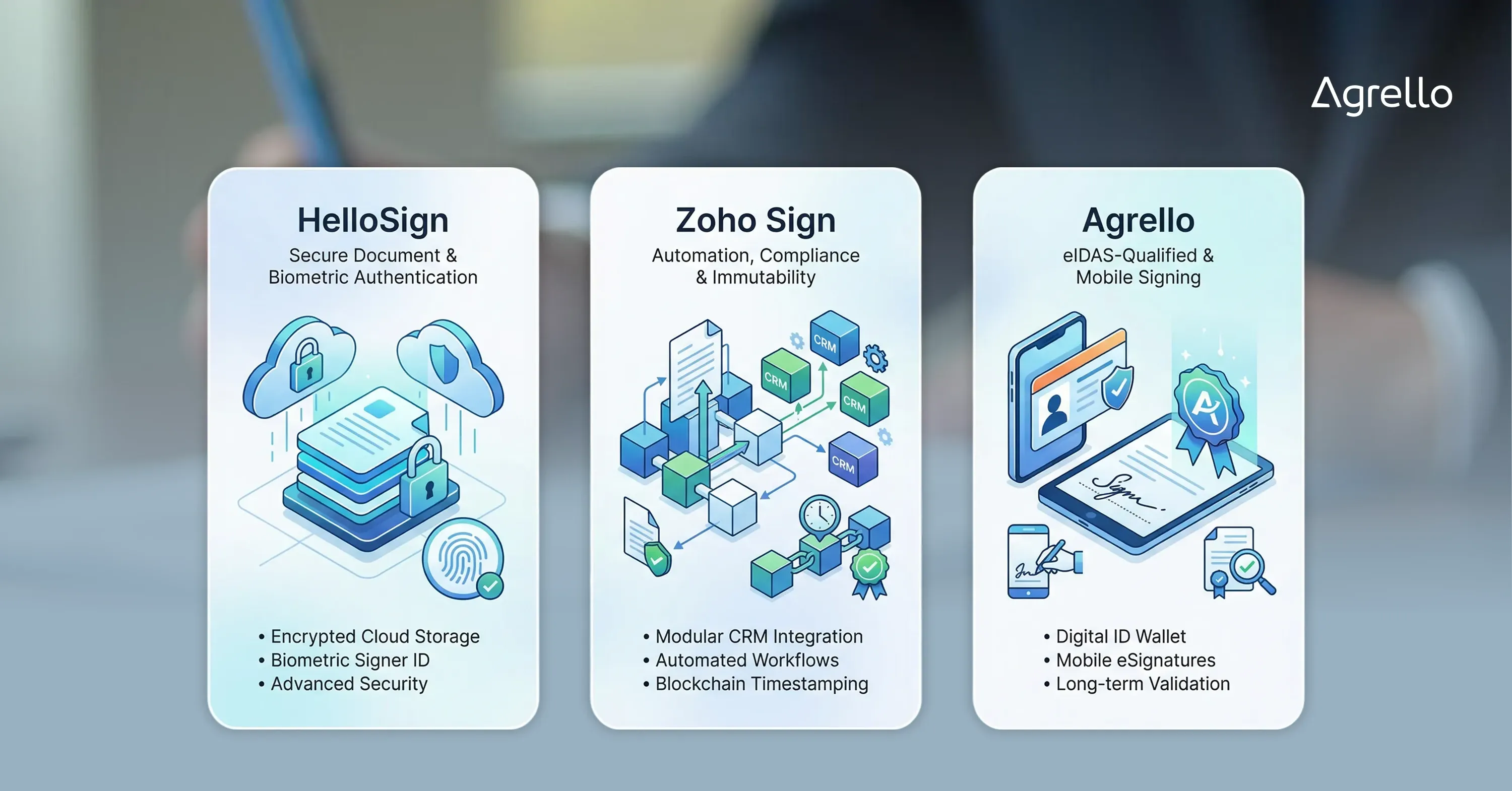
Runner-Ups to Watch: HelloSign, Zoho Sign, and Agrello

The big two get all the press, yet several agile competitors push security innovations worth noting.
HelloSign (a Dropbox company)
-
Stores data inside Dropbox’s encrypted infrastructure
-
Supports biometric signer authentication via phone fingerprint or Face ID
-
Lacks native qualified signatures for EU trust lists
Zoho Sign
-
Indian data centers, soon expanding to EU for GDPR parity
-
Built-in blockchain timestamping for additional immutability
-
Seamless with Zoho CRM, Books, and People
Agrello
Agrello focuses on eIDAS-compliant electronic signatures for legally binding workflows across the EU.
-
Supports advanced and qualified signatures
-
No proprietary wallet - integrates with national and bank-backed eID systems (Smart-ID, BankID, government IDs, Diia, etc.)
-
Uses standard eIDAS formats:
-
API-first for custom onboarding and contract automation
-
Built for compliance-heavy use cases without enterprise bloat
A strong choice for teams that need EU-grade legal validity with flexible integrations.
Key Evaluation Criteria You Shouldn’t Skip
Choosing a digital signature tool goes beyond encryption and logos. Use this punch list when trialing platforms:
-
Identity proofing: Does the vendor offer video KYC, ID scanning, or government eID integration?
-
Audit logs: Are events time-stamped, immutable, and exportable in JSON or CSV?
-
LTV support: Can the platform embed OCSP/CRL responses, or do you need a separate validation service?
-
Data residency: Specify the country or even the exact cloud region your documents stay in.
-
API limits: Check rate limits and throttling if you plan bulk operations.
-
Vendor roadmap: With USD 45.8 billion in new market value forecast through 2028, mergers happen. Ensure your provider has long-term backing.
Tick these boxes and you will avoid painful migrations later. Not sure how to weigh features? Choosing Between Free and Paid E-signature Tools: A Comparison is a helpful resource for evaluating your options.
How Pricing Stacks Up When Compliance Is Non-Negotiable
Security features often hide behind premium tiers. Here is how costs rise once you add compliance must-haves.
-
Base plan (simple e-signatures): USD 120–150 per user per year
-
Compliance add-on (SOC 2, HIPAA, LTV): extra USD 80–120
-
Qualified signatures (EU): USD 1 per signature or USD 30 monthly flat
-
Dedicated KMS/HSM: enterprise plans only, starting around USD 20,000 per year
Tip: Some newcomers, such as Agrello and Zoho Sign, bundle qualified signatures in mid-tier plans. Doing the math before signing a three-year contract can slice total cost of ownership by 30%. See also What Is a Qualified Electronic Signature? for a closer look at these high-value compliance features.
Security and budget rarely align perfectly, but knowing the surcharge of each compliance badge empowers smarter negotiations.
What Makes a Digital Signature Tool “High Security”?
A high-security digital signature tool applies AES-256 encryption for every stored document, uses TLS 1.2+ for data in transit, embeds certificate-based signatures that comply with eIDAS or NIST SP 800-63, maintains SOC 2 Type II audited controls, offers long-term validation evidence inside each PDF, and allows customer-owned keys for ultimate data control.
Conclusion
Security builds trust, which fuels adoption. Whether you favor Adobe’s PDF deep roots, DocuSign’s routing muscle, or the agile approach of Agrello, focus on encryption, compliance, and long-term validation. Learn more about the evolution and future of e-signature technology. Check the hidden costs behind those shiny badges, then choose the platform that balances airtight protection with smooth user experience. Your clients - and auditors - will thank you.