A professional woman in an office setting is featured alongside text about creating a legally binding e-signature for digital document signing

How do I create a legally binding e-signature?

Moving contracts from paper to digital improves speed and efficiency, but it raises an important question: will an electronic signature hold up in court? This guide explains what makes an e-signature legally binding for businesses operating in or with the EU - covering identity verification, audit trails, and compliance with regulations such as eIDAS. You will learn how to implement a secure, compliant signing process with confidence.

Content authorBy Toomas PihlPublished onReading time8 min read

Understand the Level of Signature You Need

Before you send a document for signing, you must decide on the level of security required. Not all electronic signatures carry the same legal weight, especially under strict regulations like the European Union’s eIDAS (Electronic Identification, Authentication and Trust Services). Choosing the wrong type can leave your contracts vulnerable during a dispute.

In the world of digital agreements, signatures generally fall into three categories: Simple Electronic Signatures (SES), Advanced Electronic Signatures (AES), and Qualified Electronic Signatures (QES).

  • Simple Electronic Signatures (SES): These are basic implementations, like typing your name at the bottom of an email or clicking a "check box" on a website. They are useful for low-risk internal documents but offer the least legal protection.

  • Advanced Electronic Signatures (AES): This level adds a layer of security. An AES must be uniquely linked to the signer, capable of identifying them, and created using data the signer controls. It also requires a mechanism to detect if the document changes after signing.

  • Qualified Electronic Signatures (QES): This is the gold standard in the EU and carries the same legal weight as a handwritten signature. A QES requires a face-to-face or equivalent remote identity verification by a certified Trust Service Provider.

While Europe relies on this tiered eIDAS framework, other regions have their own long-standing laws. For example, in the United States, the ESIGN Act was passed in 2000 to grant electronic signatures the same legal status as traditional wet signatures. Understanding these geographic nuances ensures you choose a method that protects your business across borders. For a deeper exploration of these requirements, refer to What Should You Know About eIDAS When E-signing EU Business Contracts?.

Selecting the right tier is the foundation of a legally binding e-signature. If you are dealing with high-value transactions or sensitive HR documents, relying on a simple checkbox is likely insufficient. You need to align the signature level with the risk associated with the contract.

Verify Signer Identity Without Ambiguity

A signature is only as good as the proof of who signed it. In the paper world, you might verify someone's identity by watching them sign across a desk. In the digital realm, you need robust technology to replicate that trust.

Identity verification is the process of confirming that the person accessing the document is truly who they claim to be.

  • Email Authentication: Sending a secure link to a corporate email address is a standard first step but offers limited security.

  • Two-Factor Authentication (2FA): Adding an SMS code requirement significantly increases confidence that the signer is in possession of their phone.

  • Digital Identity Verification: For high-stakes contracts, you may need to scan a government ID or use bank-based identification methods (like Smart-ID or Mobile-ID).

This is where tools like Agrello provide immense value. By integrating strong identity verification directly into the signing flow, Agrello allows you to request Advanced or Qualified signatures without forcing you to become an IT expert. For more information on verified digital identities and cross-border practices, see Cross-border Digital Identity and E-signing in the Baltic States: A Practical Guide for SMEs. You get the assurance that the person behind the screen has been vetted, which is a critical component of a legally binding e-signature.

Without strong identity verification, a signer could later claim they never saw the document or that someone else accessed their email. Establishing a strict "Who" in the process eliminates this common defense and solidifies the validity of your agreements.

Ensure Explicit Intent and Consent

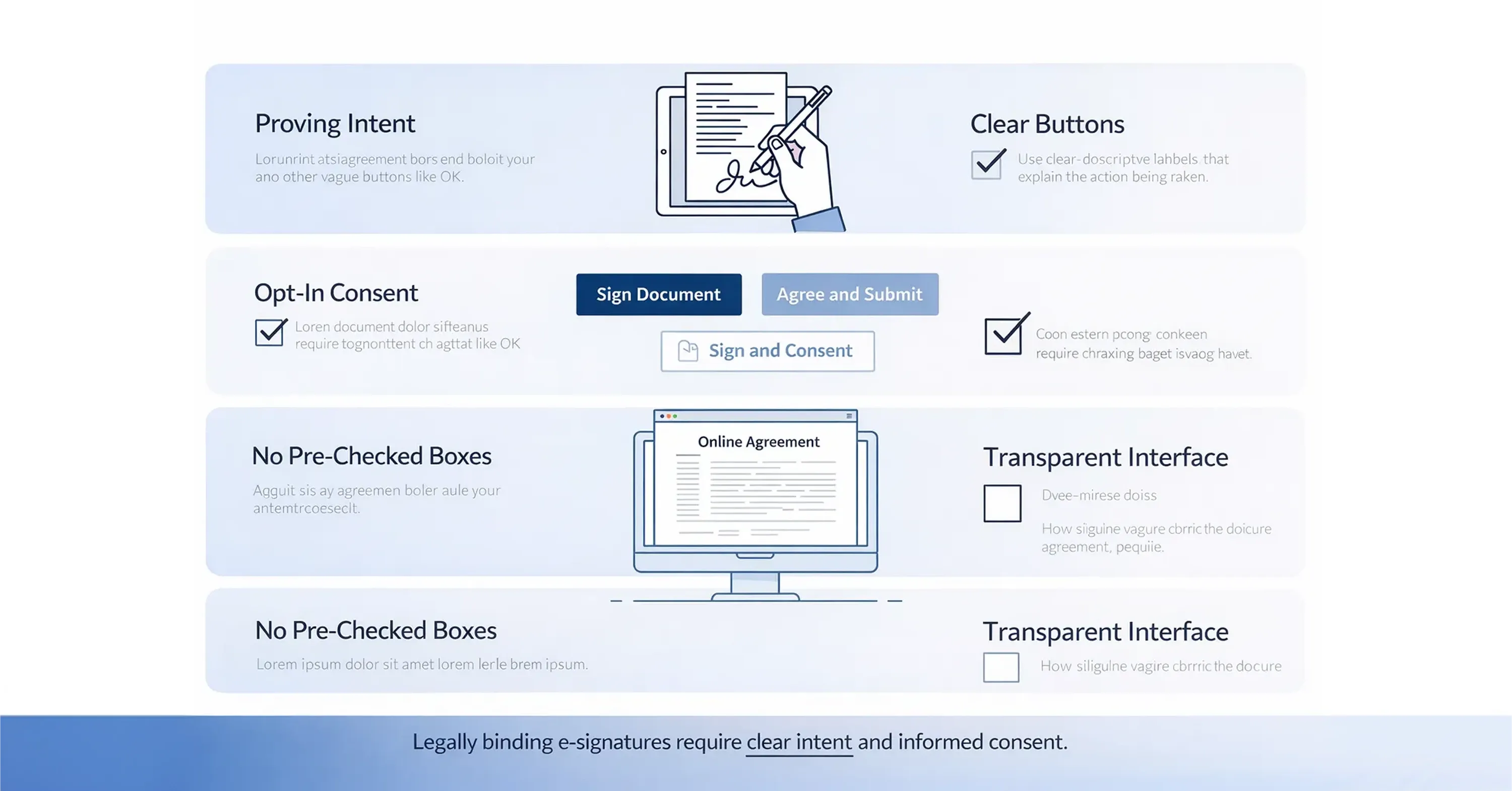
An infographic outlines key requirements for legally binding e-signatures, including intent, opt-in consent, clear buttons, and transparent user interfaces

Proving who signed the document is half the battle; proving they meant to sign it is the other. A legal signature requires a clear demonstration of intent. The software you use must make it obvious that a user is entering a binding agreement.

Intent is established through affirmative actions and clear visual cues within the signing interface.

  • Clear Labeling: The button used to finalize the document should say something unambiguous like "Sign Document" or "Agree and Submit," rather than a vague "OK."

  • Opt-In Clauses: Users should often have to explicitly agree to do business electronically before they can sign.

  • No Pre-Checked Boxes: Consent must be active. If a user has to uncheck a box to avoid signing, that consent might be considered invalid.

If your process relies on hidden clauses or confusing interfaces, the signature may be voidable. The goal is to ensure that a reasonable person would understand they are signing a contract. A legally binding e-signature is not just about the cryptographic code underneath; it is about the user experience that leads to the signature.

Secure Document Integrity with Tamper-Proofing

Once a document is signed, it must remain frozen in time. If a single comma or dollar figure changes after the signature is applied, the entire contract could be rendered invalid. This concept is known as document integrity.

To ensure integrity, modern e-signature solutions use cryptographic hashing. This seals the document so that any alteration breaks the digital seal and alerts all parties.

  • Digital Certificates: These are embedded in the PDF to show that the document has not been modified since the signature was applied.

  • Encryption: The data effectively gets locked, ensuring that the version stored on your server is identical to the version the signer saw.

Regulatory bodies take this requirement very seriously. For instance, the IRS states that acceptable forms of electronic signatures must adhere to strict integrity standards. Furthermore, their guidelines dictate that systems generally require tamper-proofing updated as of 10-17-2023 to prevent the alteration of signed records.

If you cannot prove that the document in your possession is the exact same file that was signed three years ago, you do not have a case. Tamper-proofing is the technical guarantee that protects the legal standing of your agreement. For a practical overview of these technologies, visit Are Your Digital Contracts Secure? A Look into e-Signature Security.

Maintain a Comprehensive Audit Trail

In a legal dispute, the signed document is Exhibit A, but the audit trail is Exhibit B. The audit trail is a detailed log of every action taken during the signing lifecycle. It tells the story of the document from creation to completion.

A robust audit trail should be automatically generated and stored alongside the signed contract.

  • Timestamps: Exact times for when the document was viewed, signed, and downloaded.

  • IP Addresses: The location data of the computer or device used to sign.

  • Email Notifications: Records of the notifications sent to all parties.

This log serves as a digital witness. If a signer claims, "I didn't receive that contract," the audit trail can show exactly when they opened the email and when they viewed the document. Agrello simplifies this by bundling the audit trail with the final signed container, ensuring you always have the evidence you need without manual tracking.

For more detail on audit trails and real-world signature workflows, read Simplifying Document Signing Processes: The Magic of E-Signatures.

An audit trail transforms a standalone PDF into a verifiable event. It provides the context required to defend the validity of the signature in a legal setting.

Leverage AI for Compliance and Speed

Artificial intelligence is playing a growing role in ensuring e-signatures are not only fast but also compliant. Managing hundreds of contracts manually introduces human error, which is a major risk factor for legality.

AI tools can assist in maintaining compliance standards automatically.

  • Auto-Tagging: AI can identify where signatures, dates, and initials are required, ensuring no mandatory field is missed.

  • Identity Analysis: Sophisticated algorithms can check uploaded ID documents for signs of forgery in real-time during the verification step.

  • Clause Detection: AI can scan contracts to ensure they contain necessary legal disclaimers before they are sent out for signature.

By offloading these checks to intelligent software, operations leaders can scale their signing processes without increasing their legal risk. AI helps ensure that every step - from placing the signature block to verifying the signer - follows a consistent, legally sound protocol. Learn how these innovations are shaping the industry in How do I generate a digital signature automatically with AI?.

What Makes an E-Signature Legally Binding?

A legally binding e-signature is a digital agreement that adheres to specific legal regulations (such as eIDAS in the EU or the ESIGN Act in the US) to ensure the signature is authentic, the signer’s identity is verified, and the document remains unaltered after signing. It requires valid consent, a secure audit trail, and cryptographic tamper-proofing.

Conclusion

Creating a legally binding e-signature is about more than just software; it is about process and trust. By understanding the regulations like eIDAS, insisting on strong identity verification, and ensuring your documents are tamper-proof, you can digitize your operations without compromising on security.

Focus on the elements that matter: identity, intent, integrity, and audit trails. Whether you are using a specialized tool like Agrello to manage high-security Qualified Electronic Signatures or handling standard vendor agreements, the goal remains the same. You need a process that is transparent, secure, and ready to stand up to scrutiny, allowing you to move your business forward with total confidence.
An electronic signature is legally binding if it meets specific regulatory criteria. Key elements include proof of the signer's identity, clear intent to sign (consent), and the integrity of the document to ensure it hasn't been altered. Additionally, a comprehensive audit trail recording the steps taken during the signing process is essential for legal enforceability.

Using a pasted image of a handwritten signature falls under the category of a Simple Electronic Signature (SES). While this may be acceptable for low-risk, internal documents, it often lacks the security, identity verification, and tamper-proofing required for high-value contracts or court disputes, especially under EU eIDAS regulations.

The eIDAS regulation provides a standardized framework for electronic signatures across the European Union. It defines three levels of signatures: Simple, Advanced, and Qualified. For significant transactions, using an Advanced or Qualified Electronic Signature (QES) ensures higher legal certainty and mutual recognition across EU member states.

An electronic signature is a broad legal concept encompassing any electronic process to signify agreement. A digital signature is a specific type of electronic signature that uses cryptographic technology to secure the document and verify the signer's identity. All digital signatures are electronic, but not all electronic signatures are digital.

No, you do not need a QES for every document. A QES is typically reserved for high-risk agreements, government transactions, or specific legal documents like mortgages and employment termination letters where the law explicitly requires it. For standard B2B sales contracts or internal approvals, an Advanced or Simple signature is usually sufficient.

Schedule a Meeting

Book a time that works best for you and let's discuss your project needs.

You Might Also Like

Discover more insights and articles

Close-up of professional woman with text “How do electronic signatures work?” representing digital signing process and e-signature technology

How do electronic signatures work?

You have probably signed a digital document recently - clicked a link, typed your name, or scribbled a signature and pressed “Finish.” It felt quick and effortless. But for managers responsible for important contracts, that simplicity can raise a key question: what actually happened behind the scenes? This article explains how electronic signatures secure documents, verify identity, and create a legally reliable record - in clear, non-technical terms.

Professional woman using digital signature software to quickly sign and send documents online

What’s the fastest way to sign and send documents online?

Paperwork bottlenecks quietly drain productivity in growing companies. If you still print, sign, scan, and email documents, you are wasting hours on a process that should take seconds. This guide shows how to modernize approvals with secure digital tools, mobile signing, and an automated digital signing workflow that works without heavy IT support.

Smiling professional woman signing a document digitally, illustrating how to create a digital signature in Microsoft Word

How to create a digital signature in Microsoft Word

Printing a document just to sign and scan it back is unnecessary. Microsoft Word lets you approve contracts and internal documents directly on your screen using built-in signature features. This guide shows how to create a digital signature in Word, add signature lines, apply document protection, and manage multiple signers. It also explains when Word’s native tools are enough and when a certified external solution is needed for legally critical documents.

Business professionals discussing document security as AI tools detect and prevent forged digital signatures

How can AI detect and prevent forged digital signatures?

You have likely signed dozens of contracts this year without touching a pen. While this speed is great for business, it creates a nagging worry for department heads and process owners. If you can sign a document in seconds with a click, how hard is it for a fraudster to do the same in your name? This article breaks down exactly how artificial intelligence acts as a digital gatekeeper for your contracts. We will look at how AI moves beyond basic security checks to analyze behavior, spot visual tampering, and verify identity in real time. You will learn how modern tools protect your HR, Sales, and Operations documents without requiring a massive IT overhaul.