What you will learn
In the next few minutes you will:
-
See five real-life electronic signature examples with context
-
Understand which file formats and standards are legally recognised
-
Learn the small details every screenshot should capture to stay audit-ready
-
Compare electronic signatures with digital signatures so you pick the right level of security
-
Get quick market facts to back your internal business case
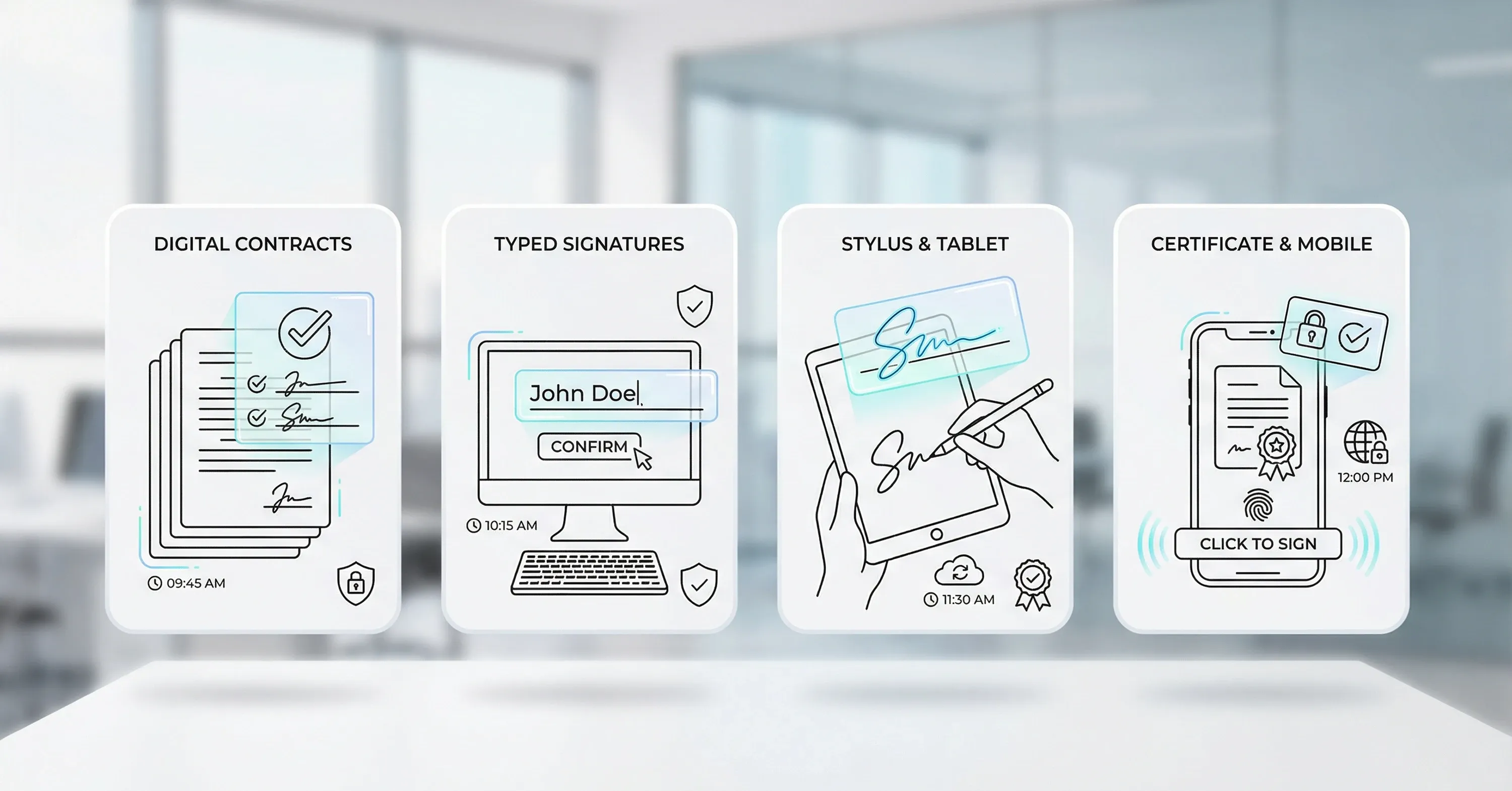
By the end, you can point to concrete samples and feel confident presenting them to colleagues, clients, or regulators. Electronic signature examples include scanned handwritten images, typed names, click-to-sign checkboxes, stylus-drawn signatures, or advanced digital signatures that carry a cryptographic certificate. Each is legal when it clearly links the signer to the document and records intent, identity, and time.
For a practical breakdown of the main types and how the law applies, see the essentials in Electronic Signature 101.
Why electronic signatures matter

Growth numbers show that signing electronically is now the default rather than the exception.
-
The worldwide electronic signature software market jumped to USD 3.3 billion in 2022 and is set to reach USD 35.7 billion by 2030, growing at 34.2% annually, according to a 2025 market forecast.
-
With eSignature technology, 80% of agreements close inside a day and 44% within 15 minutes, says a DocuSign study.
Speed helps, but legal certainty matters even more. An electronic signature is valid in most jurisdictions when it meets four pillars:
Fail any pillar and you risk disputes. Pass all four and you move faster with less paper. Knowing what a correct electronic signature looks like is therefore practical, not academic.
Legally acceptable formats and standards
Different laws exist, but they converge on similar requirements.
-
United States: The ESIGN Act and UETA accept virtually any method that shows intent and keeps an audit trail.
-
European Union: eIDAS defines three levels - simple, advanced, and qualified - each adding technical safeguards.
-
Many other regions adopt models similar to ESIGN or eIDAS.
Common accepted formats:
-
PDF with embedded signature data (most popular)
-
XML documents with XAdES or PAdES standards – learn more about the PAdES signature format here
-
Secure Docx or ODF files with signature metadata
Key takeaway: Format alone does not make the signature legal. Audit data linking signer and document does.
Next, let’s see how this plays out in real paperwork.
5 real electronic signature examples

Below you will find five everyday documents, the signature method used, and a short screenshot checklist. Each example starts with a short intro and ends with lessons you can reuse.
1. Sales contract (typed name with checkbox)
A SaaS vendor emails a two-page PDF. The recipient must:
Screenshot checklist:
-
Document title visible
-
Checkbox ticked
-
Typed name box populated
-
Time-stamp label
Why it works: Intent is explicit, identity is captured via email authentication, and the platform stores an immutable audit trail.
Transitioning pointer: Sales isn’t the only department that benefits.
2. HR onboarding form (stylus-drawn signature)
A new hire completes onboarding on a tablet:
Screenshot checklist:
-
Signature strokes clearly visible
-
Device information or IP displayed
-
“Submit” button confirmation
Lesson: A handwritten look can help with staff adoption yet still be fully digital.
3. Non-Disclosure Agreement (advanced digital signature)
Two companies use an advanced digital signature containing an X.509 certificate:
Screenshot checklist:
Benefit: Higher probative value if the NDA ends up in court, especially across borders.
4. Purchase order approval (click-to-sign mobile)
A procurement manager reviews a purchase order in an app:
Screenshot checklist:
Takeaway: Minimal friction speeds recurring approvals, freeing budget faster.
5. Patient consent form (voice signature)
Telehealth platform records patient saying “I, Jane Doe, consent to treatment”:
Screenshot checklist:
Observation: Voice signatures satisfy HIPAA when properly recorded, showcasing flexibility beyond PDFs.
In practice, many teams use a mix. Agrello, for instance, lets you combine typed, drawn, or certificate-based signing inside one workflow, so each document meets the right level of assurance.
For more on tailoring e-signature workflows for business efficiency, see Harnessing e-Signatures for a Smooth Operational Flow.
Screenshot checklist: the universal elements
Regardless of signature style, a valid screenshot or stored view should include:
-
Document title and version
-
Signer identifier (name, email, certificate serial, or voice ID)
-
Clear indication of intent (checkbox tick, “Signed” label, or button pressed)
-
Precise date and time
-
Platform or provider reference (logo or footer)
Capture all five and you can demonstrate compliance without hunting for logs.
To see how key requirements like audit trails and tamper evidence are handled, review Are Electronic Signatures Legally Binding?.
Choosing electronic signature vs. digital signature
People often use the terms interchangeably, but they differ.
Electronic signature: Any electronic process that indicates acceptance. Lower entry cost, wide acceptance for internal documents and most commercial contracts.
Digital signature: A subset that uses cryptographic technology to bind a certificate to the document. Higher assurance, necessary for:
-
Government filings
-
Regulated industries (finance, pharma)
-
Cross-border documents where eIDAS Qualified or similar levels are mandatory
For a full guide on the differences with practical examples, check Electronic Signing of Documents.
The digital signature market itself is booming, expected to reach USD 238.42 billion by 2034 with a 39.33% CAGR, and North America already makes up 46% of revenue, according to a 2025 forecast.
If you need that extra layer, tools like Agrello or DocuSign CLM can switch from simple to advanced certificates on demand. A 2024 Forrester study even found 449% ROI and a 90 % reduction in contract generation time for organisations that implemented CLM, underscoring the business value.
How to evaluate a signing solution
Start with three filters:
Legal alignment
-
Does the vendor meet ESIGN, UETA, and eIDAS?
-
Are audit trails tamper-evident?
User experience
Integration and storage
For a step-by-step checklist to assess security, evidence, and legal compliance, read "Are Your Digital Contracts Secure? A Look Into e-Signature Security".
Quick scoring approach:
-
Assign 1-5 points per filter
-
Rank platforms side-by-side
-
Run a pilot with your highest-volume document
Remember, even the best tool fails if screenshots or logs lack the five universal elements we covered earlier.
Electronic Signature Example: Clear Definition With Real-World Use Cases
An electronic signature example is a visual or recorded proof - such as a typed name, stylus-drawn mark, click-to-sign checkbox, certificate-based digital stamp, or voice recording - that clearly links a specific person, date, and intent to a document, creating a legally recognisable agreement.
Conclusion
A correct electronic signature example is not just a scribble on a screen. It is a combination of the visible mark plus invisible data that ties a person, time, and intent to a document. By matching the five screenshot elements and choosing the signature level - simple electronic or cryptographic digital - you create agreements that stand up to scrutiny while moving business faster.