How to implement document version control without slowing team workflows

Content authorBy Toomas PihlPublished onReading time12 min read
Team member discussing document version control and efficient workflow management in a modern office

This article explains how to add structure to shared documents without turning every edit into an approval request. It walks through mapping the lifecycle and matching restrictions to each stage, with practical notes on document version management and signed records.

The friction is the control, not the documents

Most teams fail at document version control because the control arrives all at once at the wrong stage, and everyone routes around it. Someone downloads a copy, emails it, and the authoritative file quietly stops being authoritative.

The cost of that drift is measurable. McKinsey's analysis of International Data Corporation (IDC) survey data found that interaction workers spend nearly 20 percent of the workweek hunting for internal information or chasing the colleague who has it. Add contract risk on top of that and the stakes rise.

So the question is which rules to apply at each stage of the document's life. Good document version control best practices follow the maturity of the content rather than fighting it.

Map the document lifecycle

Before you write a single rule, draw the path a document actually takes. Not the path in the policy binder. Draft through distribution, and whatever happens when someone asks for a change three months later.

Then mark the failure points on that map. You're looking for the moment a second copy appears, along with unexplained changes and premature locks on files that still needed five more edits. Those three moments are where document version control either earns its keep or creates the delay people blame it for.

Be specific about who touches the file at each handoff. The ISO guidance on documented information makes the point plainly: organizations must address control of changes along with distribution and retrieval, and the phrase "control of changes" means knowing what changed and why. A map that stops at "legal reviews it" hides the part where legal sends a redline back by email.

Assign clear ownership

Modern SaaS document management UI in flat design, featuring a central document icon with a blue ownership badge and simple line icons.

One document, one owner. That person decides when the status changes and when the thing is released. Without a named owner, document version management becomes a group hobby, and the file with the most recent timestamp wins by accident.

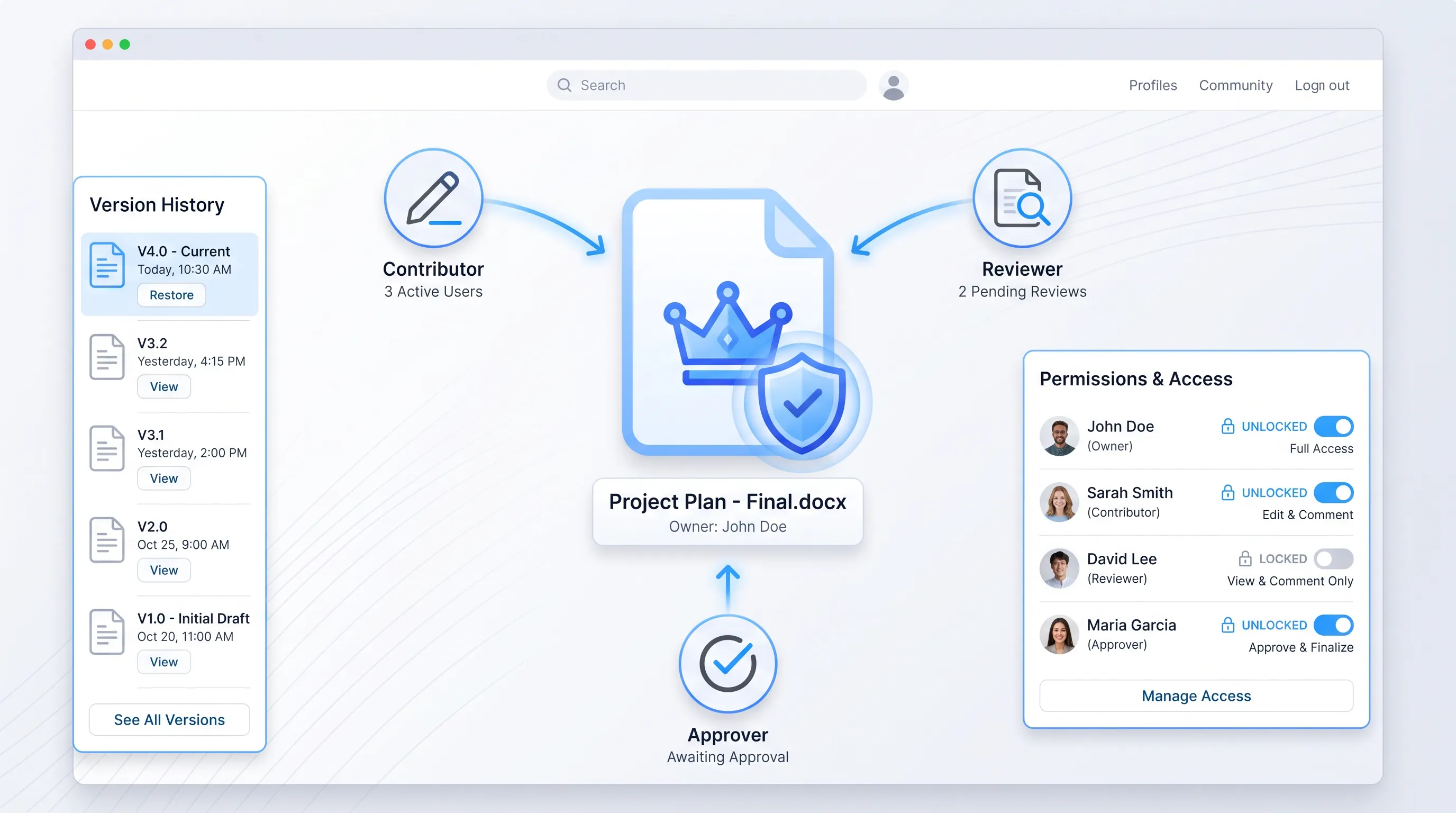
Ownership is not the same as authorship, and it isn't a veto. The owner coordinates. Contributors write and reviewers comment inside the file before approvers sign off on a defined version. Keep those three jobs distinct in your permission settings so accountability doesn't depend on someone policing the folder every morning.

Gartner's definition of the document management market lists document check-in and check-out and maintenance of version history among the essential services of a library repository. Those features only work when the system knows who holds which role. Permissions are how ownership becomes real instead of aspirational, which is why document version control starts with people and ends with settings.

Set document version control rules

Two tiers. That's all most teams need. Minor numbers for working drafts and major numbers for approved milestones.

The software world settled this question years ago with semantic versioning, where a major increment signals a change that breaks what came before and a minor increment signals an addition that doesn't. Documents behave the same way. A reworded clause is minor. A renegotiated payment term is major.

Define the triggers in writing and keep them short:

  • Minor increment (0.1, 0.2, 0.3): edits during drafting and reviewer comments resolved.

  • Major increment (1.0, 2.0): the owner records approval or an executed version is reopened for amendment.

Anything that doesn't fit those triggers doesn't get a number. Autosave handles the rest. Document version control works when the numbering carries meaning, and meaning disappears the moment every keystroke generates a new label.

Documents shouldn't be manual work.

Standardize how your business creates, manages, and signs recurring documents - without complex enterprise software.

Document version management roles

Four permissions cover almost every case. Who can create a new minor version or advance a major milestone, and who can restore earlier content or approve a release. Map each one onto a job someone already holds.

The temptation is to invent a document controller role and hand it to whoever has time. Resist it. If your legal counsel already approves contract terms, counsel approves the major version. If the project lead already runs the review calendar, the project lead owns the status field. Document version management sits on top of existing authority rather than beside it.

Restoration deserves its own line. Rolling back approved content is a decision with consequences, so limit it to the owner and the approver, and require a note explaining why. Everyone else can read history without rewriting it, and that single restriction prevents most of the quiet overwrites that make document version control look unreliable.

Document version control best practices

One authoritative file. Everything else is a copy, and copies have no status. Say it in those words, because people understand "this is the file" better than they understand a retention policy.

Short change notes are the second habit worth enforcing. Fifteen words beats a blank field, and the note is what turns a history log into a record of decisions. John Fay, who advises employers on electronic I-9 compliance, told SHRM that a system's audit trail is the most important element of compliance because it shows who made the change and when it happened. The same logic applies to a supplier agreement.

Give people examples rather than a manual. These document version control best practices fit on a single card:

  1. Name files as Client_DocType_v0.3, with no dates and no initials appended.

  2. Store the working file in the deal folder, never in a personal drive or a chat thread.

  3. Label status as Draft or In Review, Approved or Executed, and use only those four words.

  4. Write one line in the change note: what you changed and who asked for it.

Standardization pays off most in retrieval. ISO's own guidance on documentation control notes that the revision status of a document needs to be clearly identified along with its date of approval, and that principle holds whether you're running a standards body or a twelve-person operations team.

Match controls to stages

Here's the part most rollouts get backwards. Maximum restriction from day one feels safe and produces the opposite result, because people abandon a system that blocks them during the messiest, most collaborative phase of the work. Document version control tightens as the content stabilizes.

Think of it as three settings on a dial. Open while the ideas are still moving. Restricted while a defined group reviews. Closed once someone has approved the text. Each setting answers a different risk, and applying the wrong one at the wrong moment is what makes control feel like bureaucracy.

Coauthor early drafts

Let people write together. Real-time coauthoring and inline comments handle the drafting phase well, and both keep the conversation attached to the text instead of scattering it across email. Forrester's Julie Mohr describes knowledge workers facing a daily grind of searching across multiple platforms and interrupting colleagues to find what they need. Fragmented drafts are a manufactured version of that problem.

The behavior you want to stop is downloading. A downloaded draft becomes a private fork within hours, and nobody can tell afterward which paragraph came from which fork. Tell people what to do instead: share the link and tag the person in a comment, and if someone outside the organization needs to contribute, give them guest access to the same file rather than an attachment.

Document version management at this stage means almost nothing visible to the contributor. The owner names a version when a meaningful draft lands, and the platform records the rest. Friction here buys you nothing, because nothing has been agreed yet.

Documents shouldn't be manual work.

Standardize how your business creates, manages, and signs recurring documents - without complex enterprise software.

Lock formal reviews

Checkout locking belongs to the review window and nowhere else. When the document goes to compliance or counsel for a defined pass, exclusive editing prevents the reviewer's work from colliding with someone else's enthusiasm.

Locks create one predictable failure, which is the reviewer who goes on holiday with the file checked out. Set a review window with an actual date and name a backup approver who can take over when it expires. Microsoft's 2023 Work Trend Index, based on a survey of 31,000 people in 31 countries, found that almost two-thirds of workers struggle to find the time and energy to do their jobs. A reviewer in that state will not notice a quiet lock on a shared drive.

Document version management during review is mostly calendar work. The owner knows who holds the file and when it comes back.

Freeze approved content

Once approved, the document becomes read-only. Not "please don't edit it." Read-only, enforced by permissions, before it goes to signature or out to the counterparty.

Any later change starts a new controlled version with its own number and its own approval. The released record stays exactly as it was when the approver signed off, which is the entire point of document version control in a regulated or contested context. Deloitte's work with World Commerce & Contracting puts average contract value erosion at 8.6 percent, with the best performers around 3 percent and the worst above 20, and much of that gap comes from nobody being able to say which text actually governs.

Avoid the adoption trap

Autosave history looks like version control and isn't. It records that a sentence changed at 14:07 and who was logged in, without capturing that the change came out of a call with procurement or that counsel accepted it on condition of a carve-out.

That gap matters when someone asks a question months later. Gartner's market definition for electronic signature describes an audit trail that captures metadata around signing events and is cryptographically sealed to support non-repudiation. A passive edit log offers none of that assurance, because it was built to help you undo a mistake.

The trap closes when teams pair weak passive history with heavy locking at the start. You get thin traceability and real friction at the same time, which is the worst available combination. Document version control earns adoption by inverting that arrangement: light controls early and strong evidence late. These are the document version control best practices that survive contact with a deadline.

Protect signed agreements

Signature is the moment the document stops being a draft of anything. The approved content has to stay bound to the identity of each signer and the time each signature was applied, because separating them turns an executed agreement back into a file.

Agrello is a document management and e-signing platform built in Estonia that handles that binding directly. Signers use their national e-ID or Agrello's advanced electronic signature, and the signed document sits in a shared space where counterparties can review drafts and sign without the file leaving the system. The finalized version locks, and the signature evidence travels with it.

The legal weight behind this is specific. Under the eIDAS Regulation, a qualified electronic signature has the equivalent legal effect of a handwritten signature across every EU member state, and the European Commission notes that only qualified signatures carry that explicit recognition throughout the Union. ENISA's security guidance adds that a qualified signature based on a certificate issued in one member state must be recognised in all others. Applying document version control through to execution is what keeps that recognition attached to the right text.

What this protects against is the amendment that arrives as a new PDF with no link to the original. Deloitte reports that most of the 9.2 percent of annual contract value lost through poor management happens after signature. Keeping the executed record immutable and versioning amendments against it is a cheap defense, and it is one of the few document version control best practices that pays back on a single disputed renewal.

Pilot and refine

Pick one document type. Non-disclosure agreements work well because the volume is high and the stakes are survivable. Run the full workflow on that type for six weeks before touching anything else.

Measure two things. How long a review sits with each approver, and how many times someone works on the wrong file. Both numbers are easy to pull and both tell you where the design is wrong rather than where the people are. If reviews stall at one desk, the fix is a backup approver. If duplicates keep appearing, the lock came too early.

Then roll out with a one-page checklist and the name of a person to ask. The named contact matters more than the checklist, because the first week generates questions nobody anticipated. Document version management spreads through conversation long before anyone reads the policy, and document version control holds only when the person who needs help knows exactly who to message.

Start where the risk actually sits

Misplaced structure slows teams down, and the fix is sequencing rather than more rules. Open during drafting and locked during review, then frozen after approval.

Agrello works at the end of that sequence, where approved text meets signature and the executed record has to stay intact. If you're deciding how to connect your drafting workflow to legally binding signatures, talk to Agrello about your contract process or start a free trial and run one agreement through it. Document version control is only finished when the signed record is.

Documents shouldn't be manual work.

Standardize how your business creates, manages, and signs recurring documents - without complex enterprise software.

Stop further edits and compare both files against the latest recorded approval. The document owner should identify the valid version, record why the other copy was rejected, and retire it from shared locations. Add the decision to the history so document version control preserves the resolution instead of leaving teams to choose by timestamp.

Review permissions at least quarterly and whenever a person changes role or leaves the team. Check owners, approvers, guest access, restoration rights, and active locks. Remove access that no longer matches a person’s work, then record the review date and reviewer so the permission model remains accountable.

It can, but offline editing needs a defined return process. Require users to reconnect through the authoritative system, compare changes with the current file, and let the owner resolve conflicts before accepting the update. Don’t treat an emailed attachment or locally saved copy as an approved version.

Archive a version after it has been replaced and any required retention period begins. Keep the file read-only with its approval status, change history, signer details, and replacement reference. Don’t delete superseded versions merely to reduce clutter, because they can explain which terms applied at an earlier date.

Keep signed agreements in a protected records area while retaining a clear reference to the working history. The signed file should include its completion evidence and remain read-only. If you use Agrello, confirm that the finalized document and signature evidence remain together before closing the agreement workflow.

Schedule a Meeting

Book a time that works best for you and let's discuss your project needs.

You Might Also Like

Discover more insights and articles

Business professional explaining the three eIDAS electronic signature levels during a team meeting

How Do the Three eIDAS Signature Levels Differ?

The three levels differ in how much they prove. A simple electronic signature (SES) records that someone signed. An advanced electronic signature (AdES) ties that act to an identified signer and makes later changes detectable. A qualified electronic signature (QES) adds a qualified certificate and a certified device, which gives it handwritten-signature equivalence across the EU.

Business team collaborating around a table during a strategy workshop with a whiteboard in a modern office

How to design a scalable sharepoint document management workflow

This article walks through the sequence for building a sharepoint document management workflow that holds up as volumes grow. Planning before configuration and information architecture come first, and query performance and permissions follow. Approval automation in Power Automate and electronic signatures through Agrello complete the sequence. Each step builds on the one before it.

Team discussing file naming conventions for legacy document archives in an office

How to apply file naming conventions to legacy archives without breaking audit trails

This article sets out a controlled sequence for applying file naming conventions to archives of signed legacy contracts. It runs from scope definition through post-rename verification, so that signatures and chain-of-custody records survive the cleanup intact.

Title:
Which New-Hire Documents Should Be Prepared and Signed?

Meta description:
Organize your HR onboarding documents by stage and owner so you meet legal deadlines and prepare new hires on time.

A

Which New-Hire Documents Should Be Prepared and Signed?

New-hire paperwork splits into pre-start documents that set the terms and first-day documents that confirm identity and tax status, with post-start documents covering benefits and training. Each one needs a named preparer and a signer, with a deadline and a storage destination per location.