How to Evaluate Remote Signing for Business Documents

Content authorBy Toomas PihlPublished onReading time10 min read
Woman evaluating remote signing solutions for business documents during a professional team meeting

Evaluate remote signing by testing signer access without paid accounts and mobile usability against your real contracts. Platform features matter less than whether your specific employees and suppliers can finish signing.

What does remote signing change?

Remote signing moves signing and tracking online, and each one changes who does the work. On paper, the bottleneck sits in physical delivery. Online, it shifts to whoever configures recipients and chases the people who haven't acted yet.

That shift matters because approval delay is the real cost. Concord's analysis of procurement data puts the average contract approval at 3.4 weeks once multiple departments get involved, and signature is only the last phase of that timeline.

So the honest way to read that number is this: if your approval path is already unclear, digitizing it will surface the confusion. Owners signing on behalf of the company and suppliers signing across borders each hit different friction. An internal approver who reviews but doesn't sign needs a role your platform actually supports. Map those relationships before you compare vendors, because the mapping is what your evaluation tests against.

Can every signer complete the process?

Every signer must be able to open the invitation and finish on the device they already own, without registering for a paid account. That's the first pass-or-fail test, and it's the one most evaluations skip because the person doing the evaluation is already logged in as an administrator.

Mobile is where this breaks. Certinal's 2025 compilation reports that around 70% of eSignatures are now completed on mobile devices, which means your default assumption should be a phone on a weak connection.

Here's what that implies for a supplier in a country your team has never onboarded from: the signing page has to render on an older Android browser and the instructions have to read clearly in a second language. Test comment or clarification requests too. A supplier who spots a wrong invoice address needs somewhere to say so without abandoning the document entirely.

How much identity assurance is necessary?

Match authentication strength to what the document actually risks. A recurring purchase order and a five-year employment contract don't need the same proof of who signed.

The clearest way to think about this comes from NIST, which deliberately separated the pieces. NIST SP 800-63-3 splits identity assurance level (identity proofing) and authenticator assurance level (the login or verification step) into independent choices, and states plainly that they need not carry the same numerical level in any given system.

Apply that separation to signing and you get four controls that people constantly confuse. Identity proofing establishes who the person is. Authentication proves the same person came back. Signature level, whether simple or qualified under European rules, determines legal weight. Audit evidence records what happened. A platform can offer strong authentication with weak proofing, which means an emailed one-time code confirms someone controls an inbox and nothing more. Decide which of the four you need per document type, then check the plan you're actually buying.

Can routing reflect real approval paths?

Test routing with two real documents: one employee contract and one supplier agreement, run start to finish. Configure the actual people and the actual order.

What you're checking is whether the platform can express your approval path without you bending the path to fit the tool. Run through this list during the pilot:

  • Multiple recipients with different roles such as approvers who review but don't sign

  • Required signing order, plus parallel steps where two people can act at once

  • Delegation when a signer is on leave, and whether that delegation is recorded in the evidence

  • Reminders, expiration dates, and what happens when a document expires half-signed

Deloitte's work with World Commerce & Contracting found that only about 20% of organizations attempt to monitor the cost or benefits of contract management at all. Read that alongside the routing test and the conclusion follows: most teams adopt signing tools without a baseline, so they never notice when a rigid routing model quietly adds a handoff.

Documents shouldn't be manual work.

Standardize how your business creates, manages, and signs recurring documents - without complex enterprise software.

What evidence must the business retain?

Retain two things, always together: the completed document and audit evidence showing every action taken and proof the file hasn't changed since signing. One without the other is incomplete.

Section 101(d) of the Electronic Signatures in Global and National Commerce Act requires that a retained electronic record accurately reflect the information in the contract and remain accessible to everyone legally entitled to it, in a form capable of being accurately reproduced later.

"Accessible" is doing heavy lifting in that sentence, and it's where evaluations go wrong. A record locked inside a vendor's viewer satisfies the accuracy half and fails the accessibility half the moment your subscription lapses. So define ownership before signing anything: who can retrieve documents and what export format you get. Ask the vendor for an export of a completed pilot document and open it without their platform.

Does security cover the full lifecycle?

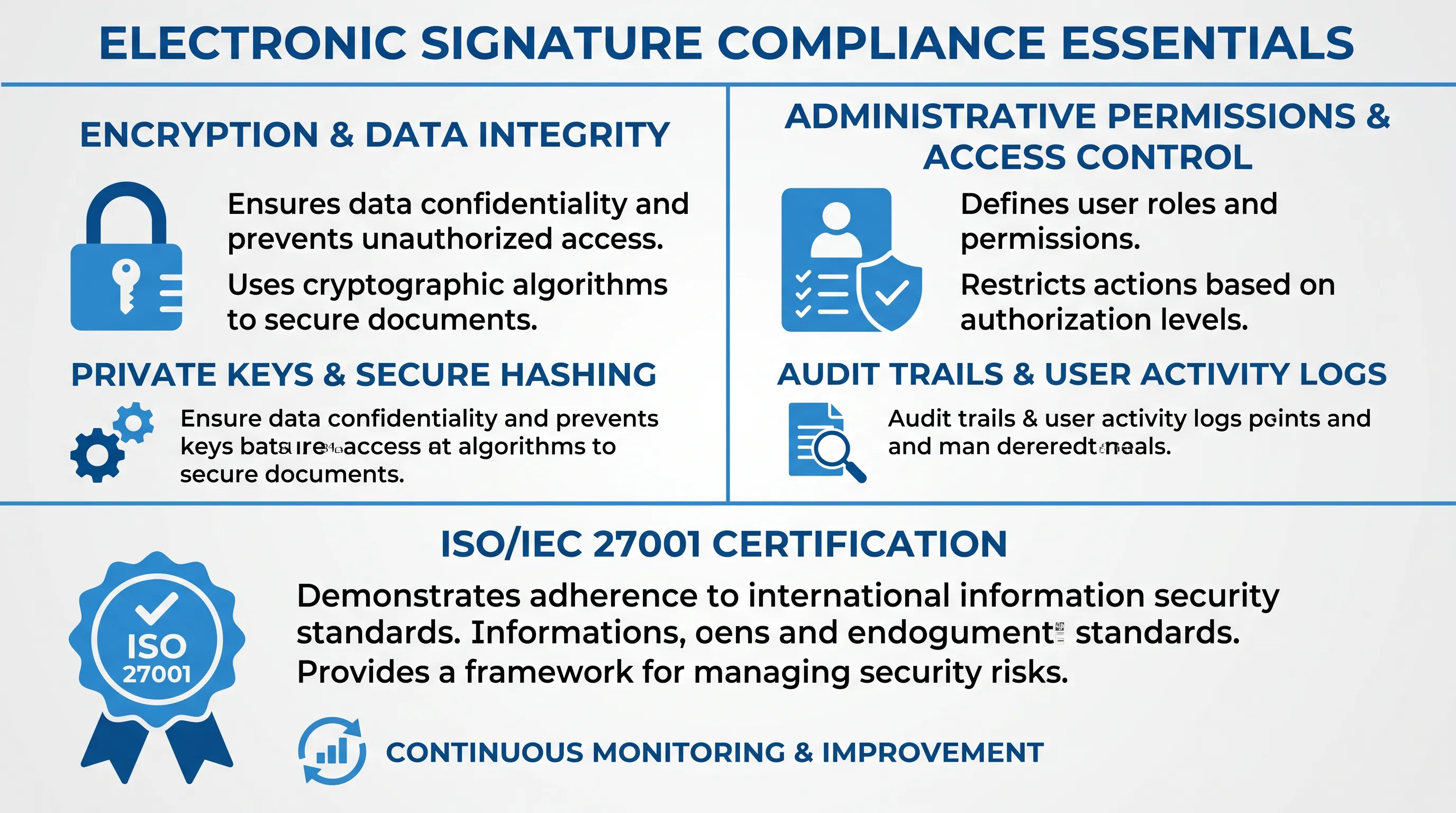
Infographic detailing compliance essentials for electronic signatures, featuring icons and structured sections on a light gray background.

Security has to hold from upload through years of storage, which is a longer window than most product pages describe. Encryption in transit is table stakes. What you're evaluating is administrative permissions and the privacy terms governing where data lives.

A European Commission article on electronic signature platforms notes that leading providers supply their ISO/IEC 27001 certification for information security management, and that US providers volunteer a SOC 2 report covering security and privacy.

That same source makes a sharper point worth carrying into your vendor conversation: a warranty that a platform follows a technical standard is no substitute for a warranty that it produces signatures meeting the regulation's requirements. Certificates prove a management system exists without proving your signed employment contract will still validate in year seven. Ask specifically what happens when signing certificates expire, because the answer separates platforms that seal documents for the long term from ones that seal them for now.

Where can remote signing be used?

Check each document type against each signer's country, because platform capability and legal enforceability are separate questions. A tool can produce a technically valid signature for a document that local law still requires on paper.

The exclusions are concrete. A World Economic Forum white paper on electronic transactions records that United States federal law and most state laws exclude property transfers and wills, while Australian rules exclude migration and citizenship documents and Canadian provinces exclude some real estate agreements and powers of attorney.

Notarization and witnessing create a second layer of trouble. Deloitte Legal's review of post-pandemic practice notes that a UK lasting power of attorney can be completed online but must then be printed and signed with wet ink, because the Office of the Public Guardian doesn't accept electronic signatures. Build a short matrix of document type and signer country. Anything unresolved goes to legal review before it goes into production.

Documents shouldn't be manual work.

Standardize how your business creates, manages, and signs recurring documents - without complex enterprise software.

Is the workflow ready for remote signing?

Your workflow is ready when it passes the checks below. Copy the lists below into your evaluation document and mark each item pass, fail, or unresolved. Anything unresolved is a legal or procurement question.

This checklist exists because feature comparison charts answer the wrong question. Only 11% of businesses rate their contract management as very effective, according to figures compiled by Procurement Tactics, which means the gap sits in process ownership rather than software availability. A checklist tied to your own two test contracts closes that gap in a way a vendor matrix can't.

Each subsection below covers one group. Work through them in order, since the identity and evidence checks assume you've already confirmed people can complete the workflow at all.

Signer and workflow checks

Confirm that both an employee and a supplier can reach completion without help from your team. Access comes first, on a mobile browser and without a paid account on the signer's side.

Then verify recipients and roles along with required signing order. Check what completion looks like: who receives the final file, in what format, and whether the signer keeps a copy. Test the exception paths deliberately by letting a document expire and by declining one.

Support matters more than it looks. Concord's data on approval bottlenecks shows delay concentrates where multiple departments touch a document, so ask who the supplier contacts when signing fails at 8pm. If the answer is your operations inbox, you've moved a cost.

Identity and evidence checks

Confirm authentication is proportionate to each document's risk and that intent to sign is captured explicitly, not inferred from a click somewhere on the page.

Then check the evidence itself. Signeasy's summary of the ESIGN requirements lists intent to sign alongside consent and record retention as the core obligations, which means intent is a compliance item.

Work through the rest in this order:

  • Audit record naming every recipient, action, and timestamp, exportable on demand

  • Document integrity proof that survives certificate expiry

  • Geographic validity confirmed per signer country and document type

  • Retention period, retrieval rights, export format, and deletion procedure in writing

One inference worth drawing: if intent is a legal requirement, then a signing page where the confirmation button is ambiguous creates legal exposure regardless of how strong the authentication behind it was.

Pilot and evaluation checks

Run your two representative contracts end to end with real signers. A pilot with cooperative internal testers tells you almost nothing about a supplier in a different time zone.

Measure completion rate and time to completion during the pilot. Then inspect the exported evidence file yourself and verify plan limits, because Certinal's review of pricing models documents complaints that advertised annual plans were in practice capped at 100 envelopes, after which another payment was required.

That pricing pattern has an evaluation consequence most teams miss. If your plan meters envelopes, then reminders and re-sends consume budget, which quietly discourages the exact behavior that raises completion rates. Confirm what counts as a billable send before you commit, and route any jurisdiction or formality question to legal while the pilot is still running.

When is remote signing the best fit?

Remote signing fits best where contracts repeat and signers are reachable digitally. Employment agreements and supplier terms qualify because the document is standard and the approval path is stable.

It fits poorly in the opposite conditions. Signers without reliable devices or connectivity will stall. Documents requiring physical witnessing or notarization will fail regardless of vendor quality. The World Economic Forum's survey of national approaches notes that countries including Brazil, Chile, China, India, Mexico, and South Africa recognize simple electronic signatures but reserve equivalence to handwritten signatures for digital signatures specifically.

That distinction has a practical edge for a distributed team. A single platform can serve your Estonian and German suppliers under one signature method while your Indian supplier needs another, so the useful question is which document types you can standardize and which ones stay exceptions handled by hand.

Could Agrello support your workflow?

Agrello is a document management and e-signing platform built in Estonia, and it supports the specific mechanics this evaluation tests: named recipients with defined roles and audit evidence attached to completed documents. Signing works through national e-ID or Agrello's own advanced electronic signature.

Its Microsoft Word add-in lets you set signers and signing order from inside Word and export completed files as ASiC, eDoc, or PDF, with GDPR and eIDAS compliance stated for the integration. Software Advice lists pricing from €19.90 per user per month at the time of writing.

Two dependencies to confirm directly before you adopt. Available signature methods vary by signer country, since national e-ID coverage isn't universal, and features including signing order and evidence export depend on your plan tier. Check the current signatures and pricing pages, then run the two-contract pilot described above with one employee and one supplier.

Documents shouldn't be manual work.

Standardize how your business creates, manages, and signs recurring documents - without complex enterprise software.

Test the integration in a non-production account before launch. Create a document from the source system, change a recipient, complete signing, and verify that the final file and audit record return to the correct employee or supplier record. Review error logs and permission settings when a transfer fails.

Assign one business owner for the process and one administrator for account access. The business owner sets document rules, while the administrator adds users, removes departed staff, and reviews permission changes. Record a backup owner so urgent access problems don't depend on one employee.

Remove the departing administrator's access on their last working day and transfer ownership of templates, completed files, and shared folders first. Use individual accounts rather than shared passwords. Keep an access-change record so the business can confirm who retained authority over archived documents.

Yes, test the signing page with keyboard-only navigation and a screen reader if employees or suppliers use assistive technology. A signer must be able to read the document, identify required fields, provide consent, and download the completed record. Ask the vendor to document known accessibility limits before deployment.

You can send them, but your business must confirm that the signer can understand the contract and the signing instructions. Use an approved translation for the document and invitation where needed. Keep the signed language version with its audit record, and obtain legal advice when local language rules apply.

Schedule a Meeting

Book a time that works best for you and let's discuss your project needs.

You Might Also Like

Discover more insights and articles

Business professional standing in a modern office, representing collaboration and document controls for legal, sales, and operations teams.

Which Collaboration Controls Do Legal, Sales and Ops Need?

Seven controls matter. They include defined roles and clause-level comments. Version history and review handoffs with visible approval status also matter, as do least-privilege access and event-based notifications. A documented signing-readiness check completes the set. Together they let the three departments contribute to the same agreement while only one person holds decision authority at each stage.

Business professional in a modern office representing cloud-based document management and streamlined digital workflows

How to keep document workflows moving with a cloud based document management system

This article explains how to build an approval workflow that keeps moving when someone is out of office or when a reviewer forgets. It covers mapping the lifecycle and configuring routing and escalation rules in cloud document management software.

Businessman reviewing a contract approval workflow in an office

How Do You Ensure the Approved Contract Gets Signed?

You get the approved contract signed by locking the file under one identifier and one owner, and you send only that locked file to signature. Everything else stays a draft. The control is unglamorous and it holds, because wrong-file risk lives in the gap between someone saying "looks good" and someone clicking send.

Businesswoman standing in an office with a workflow diagram, illustrating document control and records management by lifecycle and retention.

Document control and records management compared by lifecycle and retention

This article compares document control and records management by lifecycle stage and retention rule. It uses ISO 9001 and ISO 15489 to locate the moment a working document stops being editable and becomes fixed evidence, then follows an inspection form and a set of signed agreements through that point.