Integrations and outputs
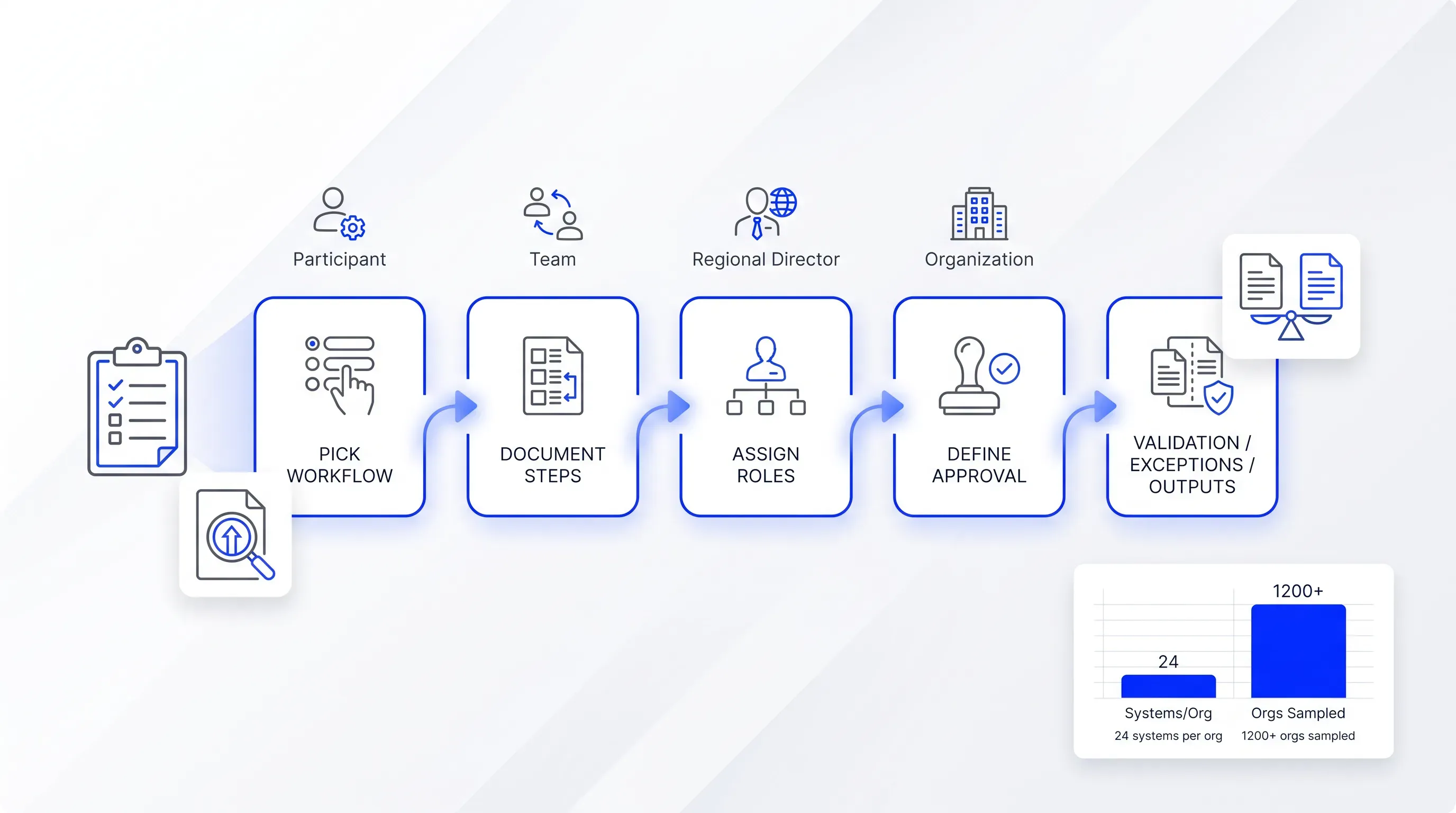
Connections come in four grades, and vendors describe all of them as "integration." A native connector to your specific HRIS is the strongest. A public Application Programming Interface (API) is flexible and needs developer time. Webhooks push events out and are what you want for keeping a CRM record current. Zapier sits in between, and Zapier's own documentation notes that webhooks and shorter polling intervals require the Pro plan or higher, which affects both cost and latency.
Check where finished documents land. Automatic filing to a named folder in your cloud storage, with a naming convention you control, removes an entire manual step. Bulk export matters when you need to hand a year of signed agreements to an auditor.
One question separates real synchronization from one-way delivery: when a document is signed, does the source record in your CRM or HRIS update by itself? If the answer involves a person, you've bought a faster version of the process you already have.
Score document workflow software
Turn the comparison into a number you can defend. Set knockout requirements first, because document workflow software that fails one of them doesn't get scored at all. Reasonable knockouts include DOCX template support if your legal team works in Word and parallel routing if your approvals genuinely run in parallel. An audit trail that survives corrections and API or webhook access on the plan you can afford also belong on that list.
Then weight the rest. This allocation works for recurring HR and sales documents, and you should adjust it against your own map:
| Capability | Weight |
|---|
| Routing rules and conditional logic | 20% |
| Templates and bulk generation | 15% |
| Inputs, reusable fields, and validation | 12% |
| Signing and identity assurance | 12% |
| Status visibility and exception handling | 12% |
| Integrations and outputs | 10% |
| Usability for non-technical owners | 7% |
| Implementation effort | 5% |
| Governance, permissions, and retention | 4% |
| Support and documentation | 3% |
Score each row from zero to five, and next to every score record three things: the evidence you saw, the limitation you found, and whether the capability depends on a higher plan. That third column is the one that changes decisions. Document workflow software scoring five on integrations only on an enterprise tier is scoring two on the tier you're buying.
Total cost belongs outside the weighted score, compared against the shortlist afterward. Include the plan required for the features you scored and per-user or per-document charges. Add the internal hours to build templates and connect systems. A cheaper document workflow software license that needs six weeks of configuration is not cheaper.
Governance deserves a note even at 4%. Under Article 5 of the GDPR, personal data must be adequate and relevant. It must be limited to what's necessary and kept no longer than needed. Employment documents are full of personal data, so retention controls and deletion behavior are part of the evaluation.
Check Agrello's fit
Run Agrello through the same scorecard. Agrello is an Estonian document management and e-signing platform, described on the e-Estonia DigiExpo directory as a tool that lets you collect e-signatures and store documents digitally for later sharing, with signing available through national e-ID or Agrello's international advanced electronic signature.
Against the capability groups above, the areas to verify directly on Agrello's automation and pricing pages are these:
-
DOCX templates, which matters if your agreements are already maintained in Word.
-
Spreadsheet-driven bulk creation for repeating documents like annual letters or acknowledgments.
-
Forms as a structured input into document generation.
-
Bulk sending and export of completed files.
-
Zapier and API access, both of which are plan-dependent and should be confirmed against the tier you intend to buy.
Two-tier signing is the part most relevant to cross-border hiring. National e-ID gives you strong identity for signers who have it, and the advanced electronic signature covers everyone else, which maps onto the eIDAS distinction discussed earlier. Verify the current details on Agrello's automation and pricing pages before you score them. Last verified: check both pages on the date you run your evaluation, since plan contents change.
Test the shortlisted tools
Take the workflow you mapped and give it to each vendor before the call. Ask them to configure it in their document routing software and run it live, with your routing rules and your exception. Vendors who agree to this are telling you something. So are the ones who don't.
Watch for these during the session:
-
Does a conditional branch fire correctly when you change the triggering value on the spot?
-
What does a rejected document look like, and can it be corrected without restarting?
-
Does the finished file land in the right storage location with the right name, unassisted?
-
Does the source record update automatically, and how long does the update take?
-
Which of the features you just watched require a higher plan than the one you're quoted?
Write the answers into the evidence column of your scorecard the same day. Demonstrated behavior beats a feature matrix every time.
Conclusion
The right comparison is one real workflow, run end to end and scored honestly across routing and exceptions, plus what happens after the signature. That's what separates a document workflow system you'll still be using in two years from one your team quietly works around.
Agrello handles DOCX templates, spreadsheet-driven bulk creation, forms, and e-signing backed by national e-ID or an advanced electronic signature. Bring your mapped workflow to our team and we'll show you how it runs in practice before you commit to any document workflow software.