What Is an Online Signature Platform and Why Use One?

Content authorBy Toomas PihlPublished onReading time7 min read
Title:
What Is an Online Signature Platform and Why Use One?

Meta description:
See how an online signature platform helps you cut signing delays and keep signed files easy to find.

Article:
# What I

This article explains what an online signature platform actually does and whether your own document process can benefit from one, with the signature itself treated as only part of the story. No technical background needed.

The everyday signing problem

You know the routine. A contract lands in your inbox, and you turn it into paper before the signed scan goes back by email. Then you wait. And when the other party has to sign too, the whole loop starts again, only now you're the one refreshing your inbox and wondering whether they even opened the file.

That friction adds up in ways that hurt. Deals slow down while paperwork sits half-finished in someone's inbox. A signed page gets buried under a hundred other emails, and when you need it six months later for a dispute or an audit, you can't find it. Worst of all, you rarely have a clean record of who signed what and when.

Most small operations run this way because it's what they've always done. But there's a better approach, and it removes the friction at every point where it shows up. The rest of this article walks through what that approach is and how it works.

What an online signature platform is

An online signature platform is web-based software that keeps the document workflow in one place from upload through signed storage. You reach it through a browser, with a monthly or annual subscription, so there's nothing to install and nothing to maintain on your own machine.

Here's the distinction that trips people up. Typing your name into a PDF, or dropping in a drawn image of your signature, gives you a mark on a page and nothing else. An online signature platform bundles the entire process that surrounds the mark. The electronic signature is one piece of a larger system that handles the document flow and record-keeping together.

The legal difference matters too. A legally recognized electronic signature carries an audit record of who signed and when, which a scanned image can't provide. Electronic signatures have been binding across all 50 states since 2000 under the ESIGN Act, and in the EU they carry full legal effect under the eIDAS Regulation, which has applied to member states since July 2016. A scanned signature carries none of that supporting evidence on its own.

Cut contract signing time by 60%

See how Agrello can automate your contract workflows from creation to e-signature in one free consultation.

How the full platform approach works

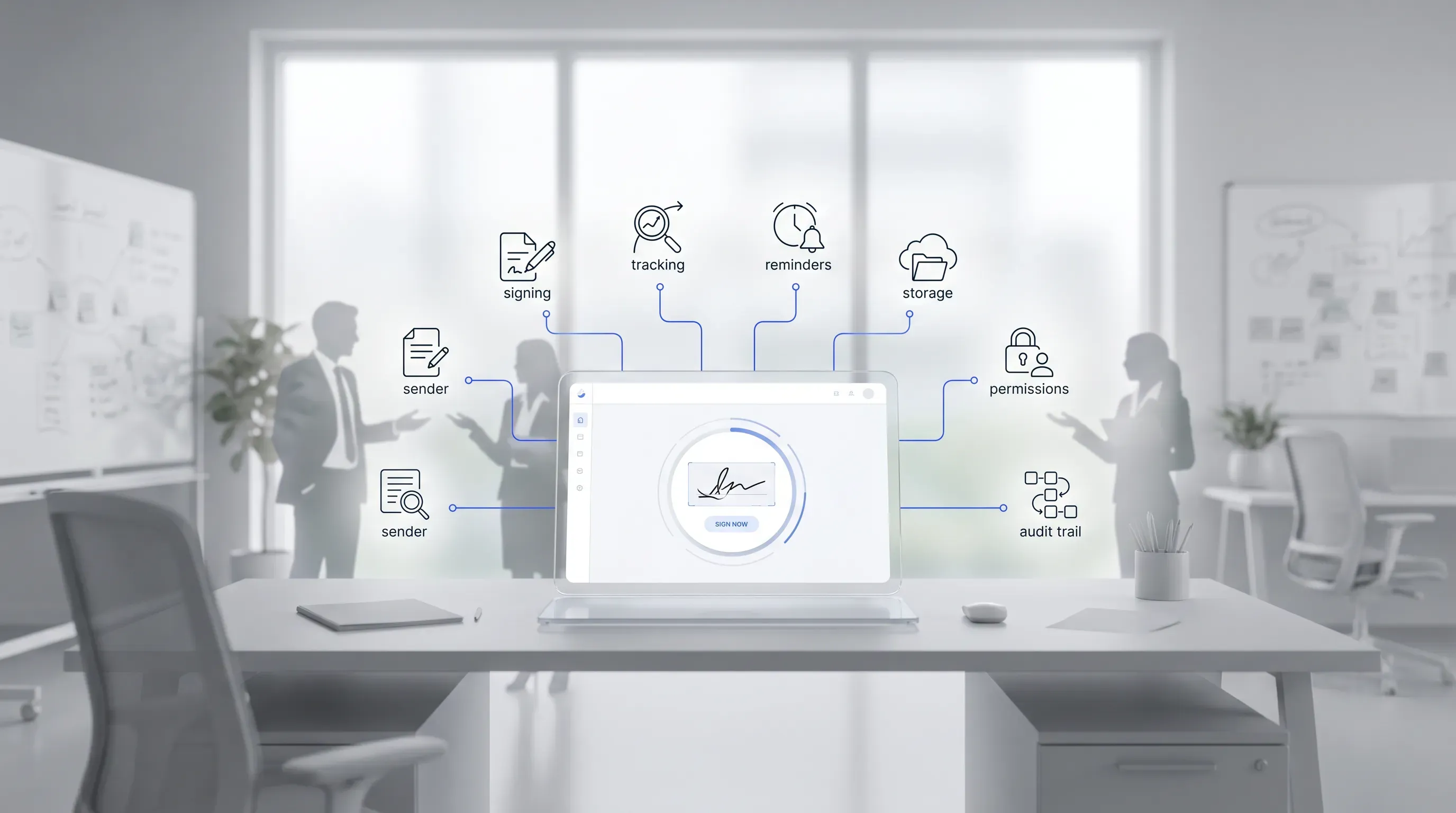
A softly lit office scene with a stylized online signature platform mockup, surrounded by monochrome icons and user silhouettes collaborating.

The value of an online signature platform comes from the three-part workflow it handles in one place. Each one solves a specific part of the mess described earlier. On their own, they're useful. Joined up in a single tool, they remove the friction end to end.

Think of the three parts this way:

  • Signing gets the document executed without printing or scanning.

  • Tracking tells you where every document stands at any moment.

  • Managing keeps every signed file in one searchable place.

The sections below explain each part in plain terms and tie it back to the problem it fixes.

Signing documents online

Signing on a platform starts when you upload or prepare your document and mark where signature fields and dates need to go. You send it to one person or several, and they sign from whatever device they have wherever they are.

The person signing opens a link and completes the fields in their browser. That finishes their part. What comes back to you is a legally valid signed version that captures a record of the signing itself, which is why this is far more than a typed name on a page.

Tracking every document

This is the part that ends the chasing. The platform shows the real-time status of each document, so you can see whether it has been signed or left untouched. When someone goes quiet, the system sends automatic reminders so you don't have to write the awkward follow-up email yourself.

Behind the status sits the audit trail, a timestamped record of who did what and when. That record is admissible in legal proceedings and carries real evidential weight if a signed document is ever questioned. So the tracking feature does two jobs at once. It tells you where things stand today, and it protects you if a signature is ever disputed later.

Cut contract signing time by 60%

See how Agrello can automate your contract workflows from creation to e-signature in one free consultation.

Managing and storing documents

Once a document is signed, it lands in one searchable place instead of scattering across inboxes and shared folders. You search by name or date and pull it up in seconds. For the documents you send over and over, like a standard contract or an onboarding form, templates let you reuse the same setup without rebuilding it each time.

Permissions decide who on your team can see or send what, so sensitive files stay with the people who should handle them. This is what removes the risk of the lost or half-finished paperwork raised at the start. Nothing sits forgotten in a personal inbox, and nothing goes missing when you need it most.

Why use an online signature platform

Put the three parts together and the case for an online signature platform gets concrete. The gains show up in the parts of the day that used to drain time and create risk:

  • Faster turnaround, since signing happens in minutes. One finance leader interviewed for a Forrester study said their NDA process dropped from seven to nine working days to under 24 hours.

  • Lower printing and mailing costs, because paper supplies and postage leave the process entirely.

  • Fewer errors, since required fields can't be left blank and the wrong version can't be signed by mistake.

  • A reliable record through the audit trail, so you always know who signed and when.

And less time lost to signature follow-up, which is the quiet cost that eats hours every week. These gains come from the combined approach. A typed name saves you one trip to the printer. The full platform saves you the entire loop.

When a platform is worth it

Not every operation needs one, and it's worth being honest about your own situation before you pay for anything. An online signature platform earns its cost when a few signs are present. You send signed documents on a regular basis. You deal with multiple signers on the same document, or with clients who are remote and can't drop by to sign in person. You need dependable audit records for compliance or your own protection.

If you sign one agreement a quarter and everyone involved is in the same building, a platform is overkill. The good news is that pricing scales. The cost can match what you actually do, with light plans for occasional use and heavier plans for high volume. You can size a subscription to your real workload.

Deciding your next step

An online signature platform is best understood as a document workflow tool. Signing removes the print-and-scan loop. Tracking ends the chasing and gives you a record. Managing keeps every signed file findable.

Look at your own document process and find where the friction bites hardest. That's the fastest way to judge whether a trial is worth your time. Agrello brings online signing into one place with tracking and secure storage, so the free trial lets you test an online signature platform against your real paperwork before you commit.
Cut contract signing time by 60%

See how Agrello can automate your contract workflows from creation to e-signature in one free consultation.

Yes, recipients can usually sign through a secure link without opening an account. The sender keeps control of the workflow from their account, including reminders and storage. Before sending, check whether the platform asks recipients to verify their email or identity.

PDF is the standard format for an online signature platform because it preserves layout well. Certain tools also accept Word documents and convert them during upload. If the document has tables, form fields, or unusual formatting, review the preview before you send it.

Choose a plan based on document volume, number of users, and whether you need team permissions or templates. A solo user who sends five contracts a month has different needs from a team sending documents daily. Agrello’s trial can help you test this against your real signing process.

Online signing is safe when the platform uses secure access, encrypted document transfer, and permission controls. You should limit file access to the people involved and remove users who no longer need it. For regulated documents, confirm that the platform supports the compliance rules that apply to your industry.

Start by collecting the signed document, audit trail, email records, and any related messages about the agreement. The audit trail matters because it shows timestamps and signer actions. If the dispute has legal or financial risk, ask a qualified lawyer to review the records before you respond.

Schedule a Meeting

Book a time that works best for you and let's discuss your project needs.

You Might Also Like

Discover more insights and articles

Title:
Online Document Signing Services Explained for Businesses

Meta description:
See how an online document signing service helps you cut paper delays and choose a secure tool for your business.

A

Online Document Signing Services Explained for Businesses

This article explains what an online document signing service is and how cloud-based signing replaces the paper routine that slows so many businesses down. It walks through how these tools work end to end and how to pick a service that fits your volume and budget, with legal and security questions covered along the way.

Title:
Online Signature Software: Sign Documents Without Printing

Meta description:
With online signature software, you can sign documents directly on your screen and save time on daily paperwork.

A

Online Signature Software: Sign Documents Without Printing

This article explains how online signature software lets you sign and send documents straight from a screen and shows why a digital-first workflow beats the old print-and-scan routine; it also covers legal validity and tool choice for a small operation.

Title:
Top eSignature Software Options for Faster Contract Management

Meta description:
Compare the best e signature software options to find the right tool for your team and speed up agreements.

Ar

Top eSignature Software Options for Faster Contract Management

This article walks you through what actually shortens contract turnaround for a growing team, then compares the best e signature software options against those criteria so you can shortlist two or three and start a focused trial this week.

Title:
eSign Software Explained: Faster Contract Work Without Paper

Meta description:
Learn how esign software cuts contract admin so you get offers and sales agreements signed faster from any device

eSign Software Explained: Faster Contract Work Without Paper

This article explains what eSign software is and how it strips the manual admin out of contract work, so a new hire can sign on day one and a sales rep can close while the buyer is still interested. We will cover how the tools work in plain terms and how to compare options, with the legal validity question handled along the way.