Online Signature Software: Sign Documents Without Printing

Content authorBy Toomas PihlPublished onReading time8 min read
Title:
Online Signature Software: Sign Documents Without Printing

Meta description:
With online signature software, you can sign documents directly on your screen and save time on daily paperwork.

A

This article explains how online signature software lets you sign and send documents straight from a screen and shows why a digital-first workflow beats the old print-and-scan routine; it also covers legal validity and tool choice for a small operation.

The print and scan problem

You get a contract by email. One page needs your signature, so you go hunting for a printer with ink. You print and sign by hand, then use your phone or scanner to photograph and crop the page before you email the whole thing back. The five-minute task ate twenty.

Nobody bills for this, but it costs you anyway. Paper and ink cartridges add up, along with the time you lose chasing a device that works. The worst part is the broken momentum. You were ready to close a deal or onboard someone, and instead you stalled out at the printer.

Working from home or from a coffee shop makes it sharper. There's no office printer down the hall, and the photographed signature looks crooked and gray. There's a cleaner way to handle every one of these documents, and the rest of this article walks through it.

How online signature software works

Online signature software is a tool that lets you sign a document and collect signatures from other people entirely on a screen. You upload the file and place your signature where it belongs before you send it off. The other person opens a link and signs from their own phone or laptop. No printer touches the process at any point.

The steps are short, and you can run through them on a coffee break:

  • Upload the PDF or Word file you need signed

  • Drag a signature field onto the spots that need filling, with dates and initials handled the same way

  • Type your name or draw with your finger, then send the file by email

That's the whole thing. You don't need a scanner or any hardware beyond the device you already own. The European Commission's own guidance describes electronic signing as a way of removing the need for paper to obtain a signature, which is the entire point. If you can send an email, you can already do this.

Why digital signing is faster

The speed difference isn't small. According to a case study from the research firm Aberdeen, a large financial firm that switched to e-signatures saw document turnaround drop from several days to under 20 minutes. "Previously, people were waiting for documents to be faxed or mailed," said Jim Rapoza, Aberdeen's director of research. The waiting created the bottleneck.

Think about what disappears. You skip the printer and scanner, along with the back-and-forth of mailed pages. A contract can leave your hands and come back signed in minutes, even when the other person is across the country with only a phone. The friction that used to live between "I'll send it over" and "got it, thanks" mostly vanishes.

Good tools also handle the nagging for you. Most send automatic reminders when someone forgets to sign, so you stop being the person who has to follow up. And when a document needs more than one signature, you send it to everyone at once instead of coordinating who signs first. The Estonian government estimates that digital signing saves an average adult a whole workweek of time over a year, which is what happens when a country builds its paperwork around the screen instead of the printer.

Cut contract signing time by 60%

See how Agrello can automate your contract workflows from creation to e-signature in one free consultation.

Are online signatures legal

Here's the worry that keeps people printing: does a signature without ink actually hold up? It does. In the United States, the federal Electronic Signatures in Global and National Commerce Act, signed into law in 2000, gives electronic signatures the same legal weight as ink on paper. President Clinton signed it both electronically and by hand, which tells you how seriously the law treats the digital version.

Alongside it sits the Uniform Electronic Transactions Act, a state-level law. It has been adopted by 47 states plus Washington D.C., with New York running its own Electronic Signatures and Records Act instead. The two laws work together so that no state can simply deny that an e-signature counts. Across the Atlantic, the EU's eIDAS Regulation states that an electronic signature can't be denied legal effect just because it's electronic, and the UK's Electronic Communications Act 2000 makes electronic signatures admissible in evidence on the same footing as wet-ink ones.

The common thread across all of these laws is intent and consent. If both parties meant to sign and agreed to do it electronically, the signature stands. There's also a quiet bonus the paper process never gave you. Online signature software records an audit trail that identifies the signer through their email and IP address, with the exact time attached. That trail is admissible in legal proceedings under section 7(1) of the Electronic Communications Act 2000 and carries real evidential weight if a signature is ever disputed. A scanned page sitting in your inbox proves none of that.

Cut contract signing time by 60%

See how Agrello can automate your contract workflows from creation to e-signature in one free consultation.

Where paperless signing helps most
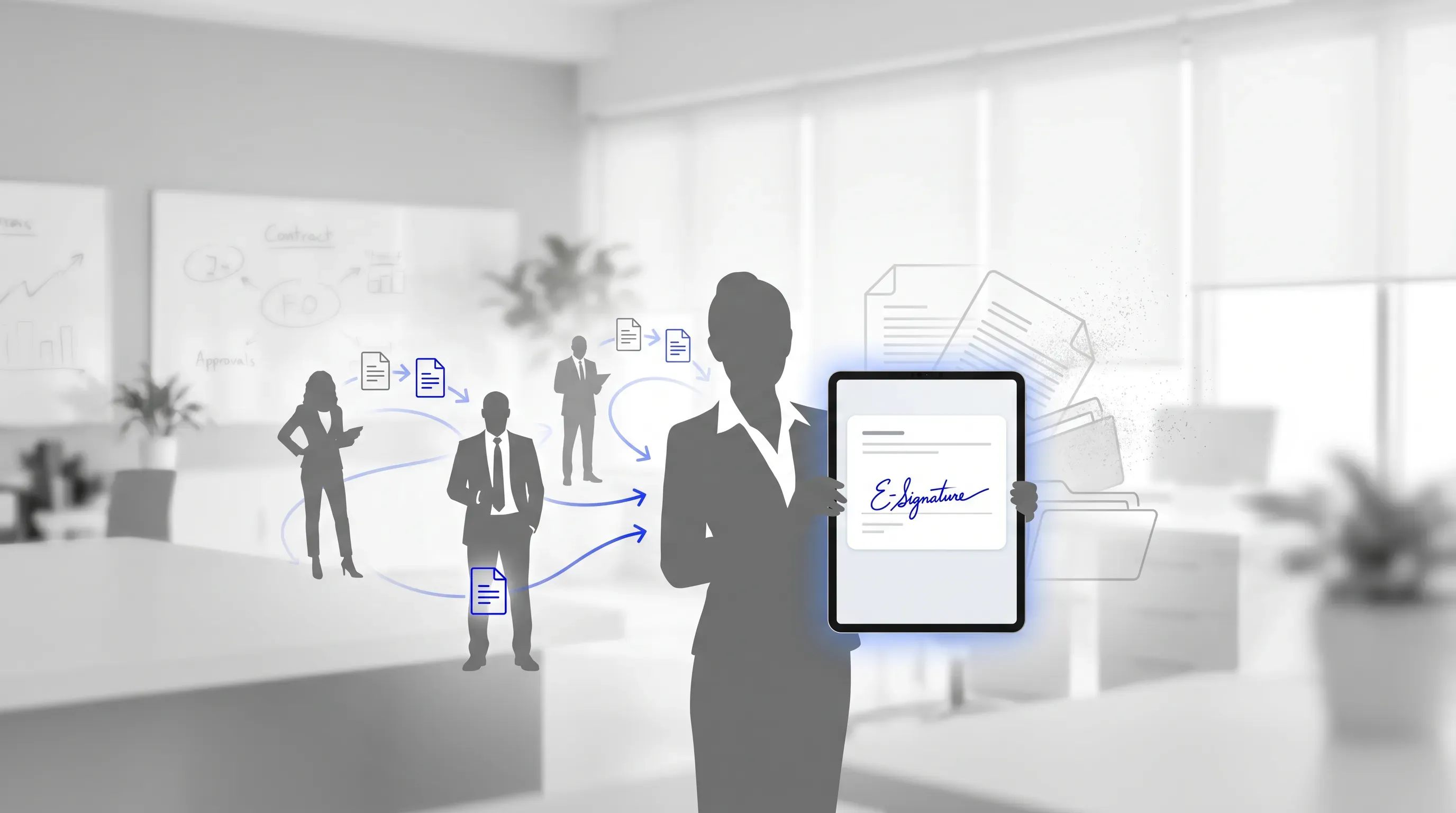
A digital signature interface on a tablet held by a silhouette in a modern office, illustrating the shift from paper to digital workflows.

The legal footing is solid, so the real question is where this saves you the most effort. The answer is the documents you already handle every week. Below are the everyday situations where dropping the printer pays off, and you'll probably recognize at least one of your own routines in them.

Contracts and client agreements

You land a new client and send the contract the same afternoon. Instead of waiting days for a mailed copy or a blurry scan, they open the link, sign on their phone, and it's back in your inbox before dinner. The work starts sooner, and so does the invoice.

That speed matters most when you close deals over email and your cash flow depends on signed paper. Online signature software turns the agreement from a holdup into a formality. The faster a contract gets signed, the faster you can bill for the work.

Hiring and onboarding forms

A new hire's first day used to mean a printed packet of offer letters and tax forms, with policy acknowledgments waiting on a desk too. With online signature software, you send all of it ahead of time and the hire completes everything remotely before they show up. Comeau, an HR professional quoted in SHRM's reporting, said her team could push out offer agreements quicker after integrating e-signatures, because they stopped routing approvals outside their core system.

If you handle people operations without a dedicated HR department, this is the difference between chasing signatures and watching them arrive. You're no longer printing packets or reminding someone for the third time to bring the signed form. The paperwork is done before day one.

Everyday personal documents

The convenience doesn't clock out when you leave work. A rental agreement or a school permission slip can run through the same tool you use for business. There's no separate setup and no home printer required.

That's the quiet value of online signature software. Once you have it, the question stops being "where's a printer" and becomes "who do I send this to." Personal paperwork that used to mean a trip to a print shop now takes a couple of taps on your phone.

Choosing the right tool

The right tool fits how you actually work, and the choice comes down to a few things that matter for a small operation.

  • Ease of use, so you can upload and send a document without a tutorial

  • A free or low-cost plan, since you're not signing hundreds of documents a month

  • Mobile signing, so you and your signers can finish from a phone

  • Clear legal compliance and a visible audit trail that records who signed and when

The fastest way to judge a tool is to try it on something real. Run a document you already need signed this week through a free trial and watch how the other person reacts when they sign in seconds. If the process feels obvious to someone who has never used the tool before, you've found the right one. Skip anything that asks you to learn a system before you can sign a single page.

Ditching the printer for good

Signing a document no longer requires printing anything. You save the paper and ink, along with the twenty minutes you used to lose at the scanner, and the legal footing is as solid as a handwritten signature under the ESIGN Act, with UETA and eIDAS supporting the same legal footing. The audit trail even gives you protection the paper version never did.

So the next time a single page lands in your inbox, sign it on screen instead. Agrello is a document management and e-signing platform built for exactly this, suitable for both personal and business use, and the best way to retire your printer is to run your next document through online signature software and see how little it takes.
Cut contract signing time by 60%

See how Agrello can automate your contract workflows from creation to e-signature in one free consultation.

No, e-signatures don’t apply to every document. Wills, certain family law documents, court filings, and notices such as foreclosure or eviction papers can require wet-ink signatures or specific delivery rules. Check the rule for your country or state before signing legal documents with high personal or financial stakes.

PDF is the safest choice because it preserves layout across phones, laptops, and email systems. Word files also work in online signature software, but converting the final version to PDF helps prevent accidental formatting changes before signing. Keep one unsigned master copy and one completed signed copy for your records.

A completed e-signature file usually includes a signing record that shows who signed, when they signed, and whether the file changed afterward. Download the signed document together with its certificate or audit record. Store both files together so you can prove the signing history if questions come up later.

Yes, a signer can often complete the document from a secure email link without creating an account. The sender prepares the fields first, then the signer opens the link, reviews the file, and signs. For sensitive documents, choose a tool that supports identity checks such as email verification or a one-time code.

Yes, keeping signed files inside the platform helps with search, access control, and recordkeeping. You can also export copies to your own cloud storage if your business has a separate filing policy. Agrello includes document management with e-signing, which is useful when you want signed files and signing records in one place.

Schedule a Meeting

Book a time that works best for you and let's discuss your project needs.

You Might Also Like

Discover more insights and articles

Title:
What Is an Online Signature Platform and Why Use One?

Meta description:
See how an online signature platform helps you cut signing delays and keep signed files easy to find.

Article:
# What I

What Is an Online Signature Platform and Why Use One?

This article explains what an online signature platform actually does and whether your own document process can benefit from one, with the signature itself treated as only part of the story. No technical background needed.

Title:
Online Document Signing Services Explained for Businesses

Meta description:
See how an online document signing service helps you cut paper delays and choose a secure tool for your business.

A

Online Document Signing Services Explained for Businesses

This article explains what an online document signing service is and how cloud-based signing replaces the paper routine that slows so many businesses down. It walks through how these tools work end to end and how to pick a service that fits your volume and budget, with legal and security questions covered along the way.

Title:
Top eSignature Software Options for Faster Contract Management

Meta description:
Compare the best e signature software options to find the right tool for your team and speed up agreements.

Ar

Top eSignature Software Options for Faster Contract Management

This article walks you through what actually shortens contract turnaround for a growing team, then compares the best e signature software options against those criteria so you can shortlist two or three and start a focused trial this week.

Title:
eSign Software Explained: Faster Contract Work Without Paper

Meta description:
Learn how esign software cuts contract admin so you get offers and sales agreements signed faster from any device

eSign Software Explained: Faster Contract Work Without Paper

This article explains what eSign software is and how it strips the manual admin out of contract work, so a new hire can sign on day one and a sales rep can close while the buyer is still interested. We will cover how the tools work in plain terms and how to compare options, with the legal validity question handled along the way.