What slows down getting documents signed
You know the routine. A contract is ready, so someone prints it for a signature and emails a scan to the next person who does the same. Then the chasing starts. A signer is traveling or the attachment lands in spam, so a deal that should have closed on Monday slips to Friday.
Manual signing costs more than time. Every printed copy is a chance for the wrong version to circulate, and a signed page sitting in an inbox or a desk drawer is one nobody can prove was kept secure. When a client asks who approved something and when, the honest answer is a shrug and a hunt through email.
The good news is that this whole bottleneck has a fix: digital signature software, a category of tools built for exactly this problem. Knowing what those tools are is the place to start.
What digital signature software is
Digital signature software is a tool that lets people sign documents electronically in a way that is secure and recognized by law. You upload a file with marked signature fields and send it to whoever needs to sign. They sign from a browser or a phone, and everyone gets a finished copy with a record of what happened.
There is a distinction worth getting straight, because two terms get mixed up constantly. An electronic signature is the broad legal idea: any mark a person makes to show they agree to a document. The European Commission notes that something as simple as writing your name under an email can count as one. A cryptographic digital signature is a stronger, specific method that uses encryption to lock the signer's identity to the exact document they signed.
The difference matters in practice. A simple electronic signature proves intent. A digital signature proves intent and protects the document, because any later change to the data is detectable, according to the EU cybersecurity agency ENISA. For a business handling contracts and approvals, that protection is the whole point.
From the sender's side, the experience is a few clicks to prepare the document and send it. For the signer, it is a secure link and a signature after identity checks. Nobody prints anything.
How digital signature software works
Underneath the simple experience, a few mechanisms do the heavy lifting. Walking through them shows why a digital signature is harder to forge than a signed sheet of paper.
It starts when you upload a document and place signature fields where each person needs to act. You add recipients and send the document in the right order if more than one person signs. Each signer gets a secure link and signs after confirming who they are. Digital signature software then assembles a finished file that carries proof of the whole process.
Three ideas make that proof trustworthy:
-
Encryption scrambles the document and the signature data so that only the right parties can read it and nobody can quietly swap in a different version. The most common method behind strong digital signatures relies on a public-key infrastructure (PKI), which uses certificates and cryptographic keys to bind a signer to a document.
-
An audit trail records each step, with opening details and signature times captured in sequence. That gives you a verifiable history instead of a vague memory.
-
Tamper detection seals the signed document so that if anyone alters a word after signing, the signature breaks and the change shows. The signed data is linked in a way that makes any subsequent change detectable.
Each of these maps to something you actually need. Encryption keeps a contract private. The audit trail answers who signed and when. Tamper detection means the version you filed is the version everyone agreed to.
Key features to look for
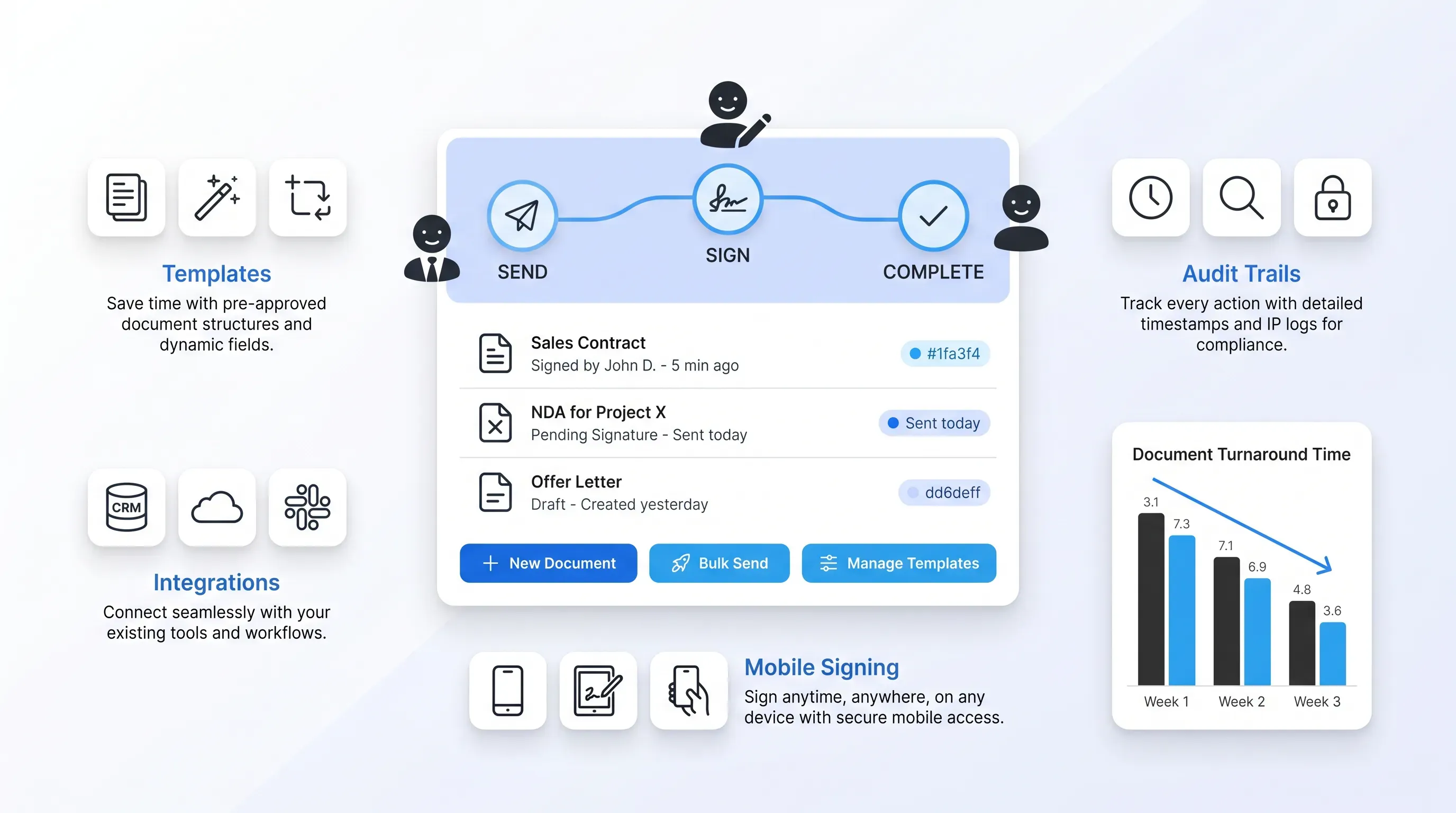
If you are comparing options for the first time, the feature lists blur together fast. Here is a short checklist of the capabilities that separate a capable tool from a basic one, with a note on why each earns its place in daily work.
Templates and reusable forms
Most teams send the same documents over and over. Non-disclosure agreements and offer letters barely change between uses, and the same is true of recurring sales contracts, so rebuilding them every time is wasted effort. Templates let you save a document with its signature fields already placed, then reuse it in seconds.
The payoff is twofold. You save the setup time on every send, and you cut the formatting mistakes that creep in when someone rebuilds a document from scratch. For a small team pushing out a dozen agreements a week, that adds up quickly.
Audit trails and tracking
Digital signature software keeps a record of who opened a document and who signed it, with a timestamp for each. That history is what you reach for when a dispute lands on your desk about whether something was signed and when.
Real-time tracking helps before any dispute. You can see at a glance where a document is stuck, so instead of wondering whether the contract is lost, you know it is sitting unopened with the second approver and you can nudge the right person.
Integrations with existing tools
Digital signature software works best when it fits the tools you already run. Connections to your customer relationship management system and cloud storage keep signing inside the workflow your team already knows.
Integrations also cut the manual copying that causes errors. When a signed contract drops straight into the right deal record and the right storage folder, you are not re-keying details or hunting for the final file. The records stay in one place.
Mobile and remote signing
Signers are not always at a desk. A client on the road or a contractor in the field needs to complete documents from a phone or a browser without printing anything.
This is where turnaround speeds up the most. A signer who can finish a document on their phone in the airport completes it in minutes instead of waiting until they get home to a printer. For both sides, the convenience is the difference between a same-day close and a week of waiting.
Compliance and legal validity
The question almost everyone asks first is whether these signatures actually hold up. They do, and the laws backing them have been in place for over two decades.
In the United States, two frameworks matter. The federal Electronic Signatures in Global and National Commerce (ESIGN) Act, signed in 2000, gives electronic signatures and records legal recognition when the parties agree to do business electronically. The Uniform Electronic Transactions Act (UETA), introduced in 1999, does the same at the state level and has been adopted by 49 states, with the District of Columbia and U.S. territories including Puerto Rico and the U.S. Virgin Islands also covered. Both establish that a contract or signature cannot be denied legal effect solely because it is electronic.
In Europe, the rules come from the eIDAS Regulation, which took full effect in 2016. It defines three levels of electronic signature, with each level building on the one below and culminating in the qualified level. A qualified electronic signature has the equivalent legal effect of a handwritten signature across every EU member state.
Most everyday business documents are well suited to electronic signatures. Sales contracts and NDAs all qualify. Routine HR and vendor documents qualify too. In some jurisdictions, a narrow set of documents still calls for wet ink or special handling, such as certain wills and some property transactions where a registry requires it. The U.K. Land Registry, for example, has required a wet-ink signature on paper for documents submitted for registration. When a document is high-stakes or unusual, check with your legal team. For the bulk of what crosses your desk, an electronic signature is enough.
How the software keeps documents secure
Security is the reason a digital signature beats a paper one. A signed sheet of paper can be altered or lost. A properly signed digital document resists all three.
Three protections do most of the work. Encryption keeps the document unreadable to anyone who should not see it, both while it moves and while it sits in storage. Identity verification confirms the signer is who they claim to be before they can sign, which is what stops a forged signature at the door. Tamper-evident sealing locks the signed file so any later edit shows immediately.
When you are weighing providers, a few certifications signal a serious one. Leading platforms supply a copy of their certification to the ISO/IEC 27001 standard for information security management, and U.S. providers volunteer a Service Organization Control (SOC) 2 report covering security and availability. Over 70,000 ISO/IEC 27001 certificates have been reported across 150 countries, so the standard is well established and worth asking about.
This ties back to a responsibility you already carry. The client details and company information inside those contracts are yours to protect. Choosing digital signature software with real security standards is part of doing that job well.
Fitting signatures into your workflow
Signing a single document is the entry point. The bigger gain comes when digital signature software automates the steps around the signature, so routing and follow-up happen without anyone babysitting them.
Think about onboarding a new hire. The offer letter and tax forms can route to the candidate in order. Policy acknowledgments follow in the same flow, and each completed document unlocks the next while reminders fire automatically if a form sits untouched. Nobody on your team has to send three separate emails and track who replied. Closing a sale works the same way: the contract routes to the client and then to your finance lead for countersignature before the signed file lands in your records on its own.
A few things change once automation is in place:
-
Documents move through approvers in a set order instead of bouncing around inboxes.
-
Reminders go out on their own, so chasing people stops being someone's part-time job.
-
Finished documents file themselves where they belong, which keeps your records clean.
The Forrester study of one contract management platform found that teams reduced turnaround time by 40% on routine agreements once they moved to automated intake and e-signature. As one finance and legal VP in that study put it, "The turnaround has improved up to 70%. It tells me we can close more contracts and provide a better experience for our client." If you are planning a rollout, that shift from manual follow-up to automatic routing is the change your team will feel first.
Choosing the right tool
The right choice is the one that fits how your business already works and the level of compliance it requires. Start with your actual use case, not the longest feature list, and the decision gets a lot simpler.
Work through a few practical questions before you compare vendors:
-
How many documents do you send, and how often? Light, occasional use points to a simpler tool, while high volume justifies templates and automation.
-
How big is your team, and who needs to prepare or track documents? More hands mean you want clear roles and reliable tracking.
-
What does your budget allow, and which existing tools must it connect to?
-
How strict are your compliance needs? A business operating across the EU has different requirements than one signing domestic agreements.
Once you have a shortlist, trial the tools with real documents and bring in the people who will use them every day. The administrator who sends contracts and the manager who approves them will spot friction a feature page never shows. Agrello is a document management and e-signing platform built for exactly this kind of everyday business signing, with the identity verification and secure handling that keep sensitive documents compliant. If your team is still printing and chasing wet-ink signatures, the right digital signature software turns that process into a few clicks, and a trial against your own workflow is the surest way to know it fits.