Why paperwork slows business down
You know the drill. A contract is ready to go, so you sign it on paper and email a scanned PDF to the other side. Then you wait. They handle the same print-and-scan routine and send it back, as long as nothing jams in their printer and the file doesn't land in a spam folder.
A deal that should take an afternoon stretches across a week. Every handoff adds a chance for something to break. Pages get signed in the wrong place, and a version can get lost before the signature page reaches the right attachment.
The real cost is the waiting and the doubt, beyond the paper and postage that add up. When a signed PDF comes back, how do you actually know the person who signed it is who they claim to be? And how do you know nobody changed a number on page four before sending it back? That uncertainty is the problem worth solving, and it's where this guide is headed.
What are digital signatures
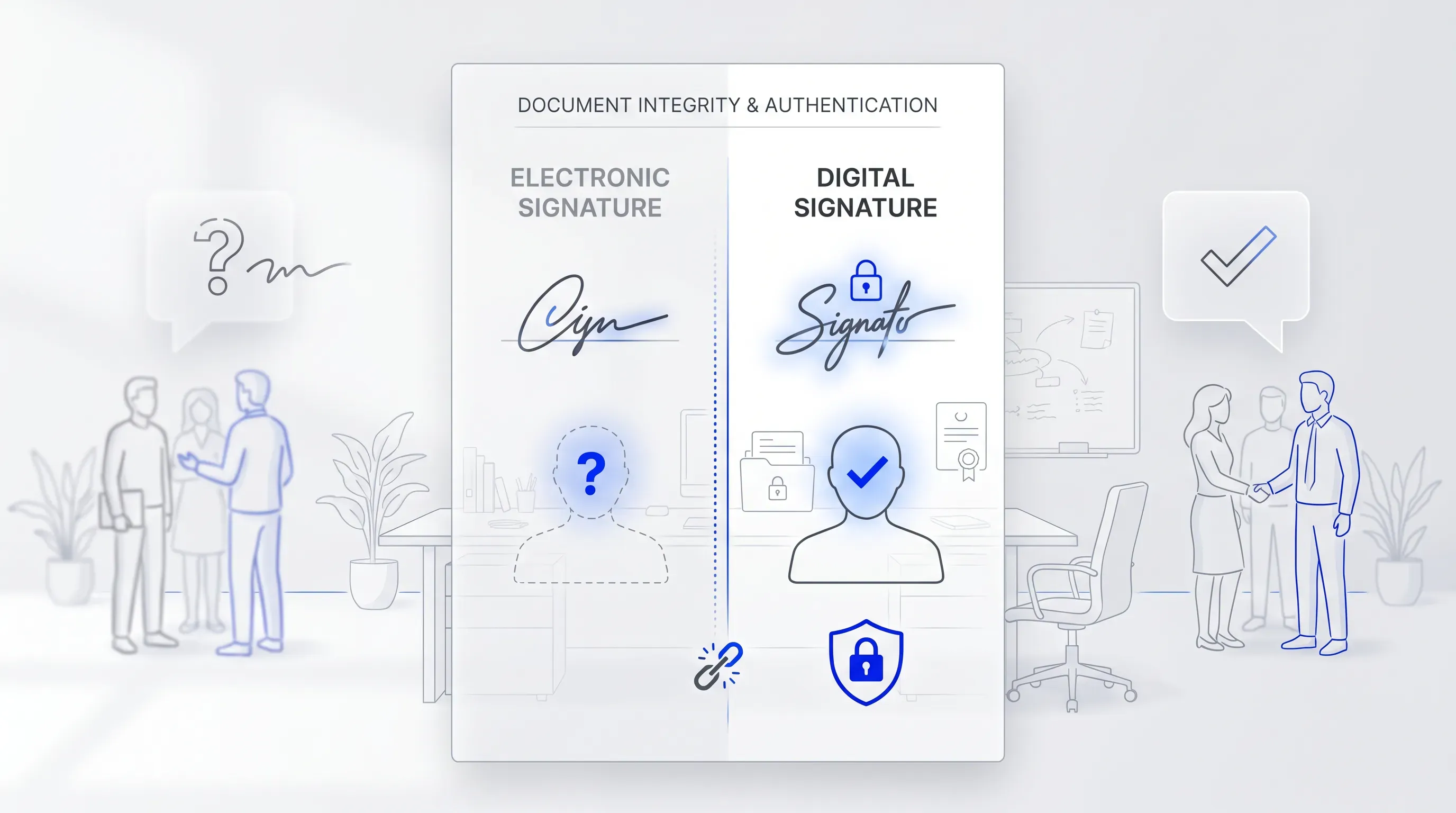
Digital signatures are a way to prove two things about a signed document at once: who signed it, and that nobody changed a word after they did. That's the whole idea, stripped of the technical packaging. A typed name tells you someone wrote letters on a screen. A digital signature tells you a verified person agreed to this exact file.
Think of the wax seal a merchant once pressed onto a folded letter. Anyone could read the name, but the unbroken seal was the proof. If the wax was cracked when the letter arrived, you knew it had been opened or tampered with. A digital signature is the modern version of that seal, except it's mathematically tied to the contents of the document, so even a single altered comma cracks it.
This is the problem digital signatures solve before any mechanics come into play. In the paper world, you trusted a signature because you recognized the handwriting or watched the person sign. Online, you have neither. The signature replaces that lost certainty with proof you can check, which is why a digitally signed file carries weight a scanned PDF never will.
How digital signatures work
You don't need the cryptography to trust the result, the same way you don't need to understand a car engine to know the brakes work. Two separate things happen when a digital signature is applied, and it helps to look at them one at a time. First, the system confirms who is signing. Second, it locks the document so any later change shows up.
These two ideas answer the two questions that nagged at you in the opening. Who really signed this? And has anyone touched it since? Once you see how each one works, the technology stops feeling like a black box and starts feeling like something you can rely on.
Verifying who signed
A basic e-signature accepts whatever name you type. A digital signature ties the act of signing back to a verified identity, so the signature points to a real, confirmed person.
That verification comes from a digital certificate issued by a trusted provider. The provider's job is to vouch for identity, the way a passport office confirms you are who you say before handing over a passport. Under the European Union's eIDAS Regulation (910/2014), these vouching organizations are called qualified trust service providers, and they're only allowed to issue certificates after a strict assessment. The technology behind this is a public-key infrastructure (PKI), which pairs each signer with a certificate that confirms who they are.
Why does this matter to you? Because the moment a deal turns into a dispute, accountability is everything. A typed name gives the other side an easy out. They can claim they never signed it. A signature tied to a verified certificate closes that door, since the identity behind it was confirmed before the ink ever went down.