How Digital Signing Software Speeds Up Contract Approvals

Content authorBy Toomas PihlPublished onReading time10 min read
Title:
How Digital Signing Software Speeds Up Contract Approvals

Meta description:
See how digital signing software helps you remove bottlenecks and speed up your contract approvals.

Article:
# How

This article walks through where contract approvals actually lose time and how digital signing software compresses each delay. You will see how routing delays and follow-up waits eat the cycle, and how automation collapses it so you can connect the right features to the bottlenecks your own team lives with.

Why contract approvals drag on

You already feel the pain that digital signing software is built to fix. A deal sits in someone's inbox over the weekend, and a vendor agreement waits on a signer who left for holiday while three versions of the same offer letter float around as email attachments and nobody knows which one is current. The contract is fine. The path it travels is broken.

Most of the delay has nothing to do with the act of signing. It comes from document routing and idle time with someone who has not opened it yet, while follow-up work fills the gap. According to research compiled by Aberdeen and Forrester, the average contract takes 3.4 weeks to get approved once multiple departments are involved. That is weeks of revenue sitting still.

So the question worth asking is how to fix the route a contract takes from intake to signature. That is where the time hides, and that is what the rest of this article takes apart.

Where the time actually goes

If you map a manual approval cycle stage by stage, the slow parts stop being a mystery. A document moves through intake and review before teams route it toward a final signature, and at almost every handoff it stops moving. Diagnosing your own process starts with seeing which of those stops costs you the most.

Here is the path a typical agreement travels by email and shared PDF:

  • Intake, where someone submits a request with missing or inconsistent information

  • Manual routing between sales and legal, with finance added through a handoff that depends on a person who remembers to forward it

  • Idle waiting while the document sits with one signer who has not acted

  • Rework, when unclear ownership or a missed follow-up sends the contract back to an earlier stage

The Forrester study of LinkSquares customers found that contracts "would sit idle due to unclear ownership or missed follow-ups, and turnaround times stretched from days to weeks." Two of those stages do the most damage. Let's look at them.

Intake and routing delays

Contracts lose days before anyone reads a single clause. Intake is unstructured, so a request arrives with a missing field, such as a number or a counterparty detail, and the first thing that happens is a reply asking for it. Then another. The VP of finance and legal at one software discovery firm described the old reality plainly: "There were always multiple emails, back-and-forth questions. If someone was on holiday," the work simply stalled.

Routing makes it worse because it depends on people. Someone in sales has to know the agreement goes to legal next before finance sends it back for signature. When a handoff is unclear, the document stops. You probably recognize this in your own pipeline: a contract that was "almost done" two weeks ago, still waiting on a step nobody owns.

Chasing and idle waiting

The largest hidden cost is the simplest one. A document sits untouched because the person who needs to sign is busy or traveling without realizing it is their turn. Nothing is wrong with the contract. It is just parked.

Follow-up depends on a human remembering to chase, which means it happens late or not at all. And a single absent approver can freeze an entire deal, because the people downstream cannot act until that one name clears. This is the delay digital signing software goes after first, because it is the one that responds best to a reminder no person has to send.

Cut contract signing time by 60%

See how Agrello can automate your contract workflows from creation to e-signature in one free consultation.

How digital signing software speeds things up

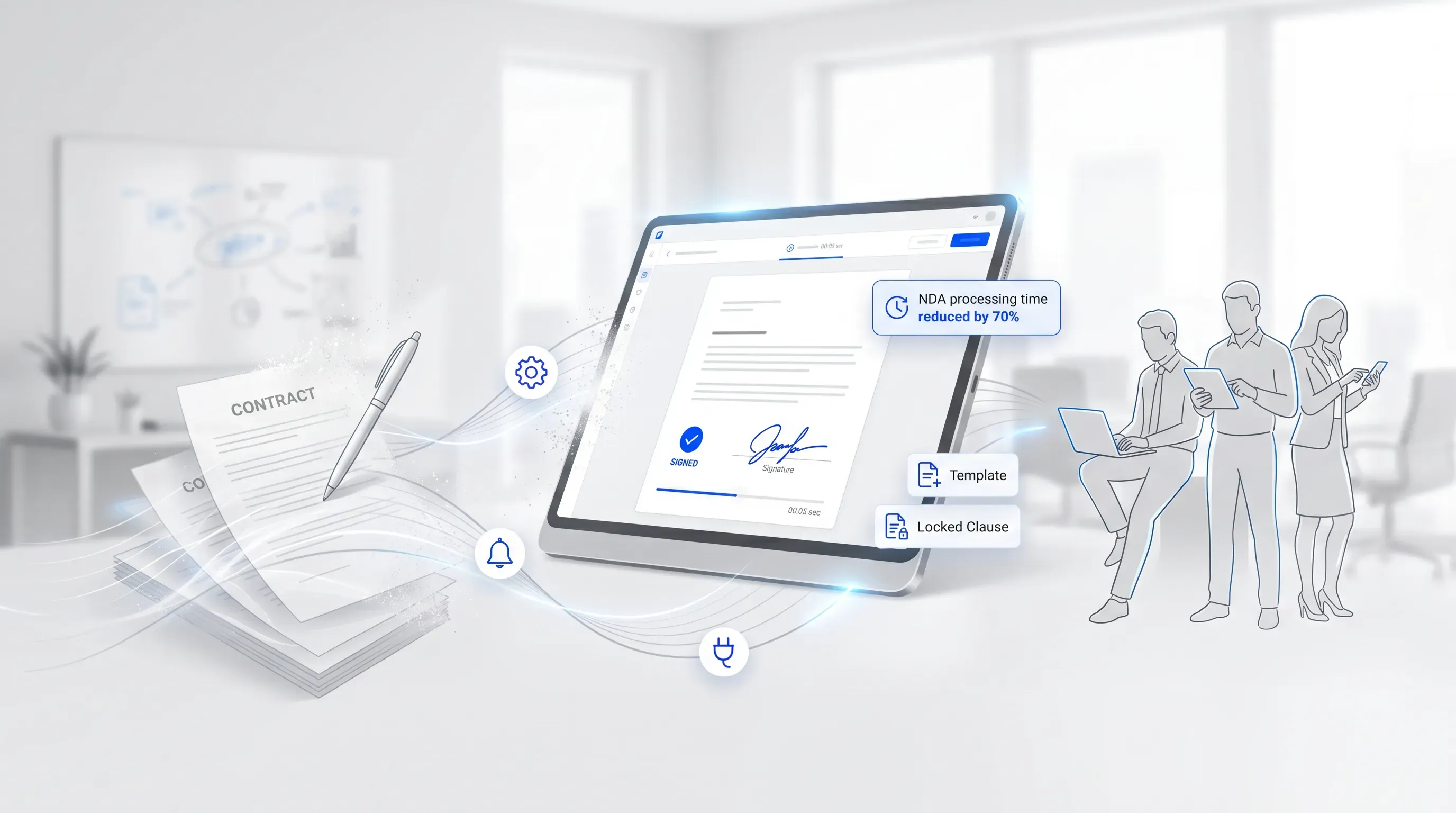
A modern office scene featuring a digital signing interface with a completed signature, surrounded by minimalist icons and diverse professionals.

The speed does not come from signing faster. Clicking a signature button was never the slow part. The speed comes from automating the path the contract travels, so it never stops at a handoff and never waits on someone to remember it. Each feature below maps to a stage from the manual cycle you just read.

Automated routing and reminders

Digital signing software sends the document to the right people in the right order, then nudges them on its own. The manual chasing disappears because the system does the remembering. You set the sequence once and the contract walks itself through it.

Routing comes in two shapes, and knowing the difference matters when you map your process:

  • Sequential routing, where each approver acts in turn, useful when finance needs legal's sign-off first

  • Parallel routing, where several approvers receive the document at the same time, so non-conflicting reviews happen at once instead of in a queue

The results are concrete. After deploying digital signing software, one legal team cut its NDA turnaround from "seven to nine working days" to under 24 hours, and over the following six months the average landed at nine working hours.

Reusable templates and clause control

Templates cut time at the front of the cycle, before routing even starts. A prebuilt agreement with locked clauses means the drafter is not rewriting standard language or introducing terms legal has to catch later. The legal operations manager at a database software provider described the shift: a user can now generate the agreement "and literally within 2 minutes, they've got the agreement they want."

When routine agreements are standardized, legal stops reviewing every low-risk document by hand and reserves its attention for the real exceptions. If you push high contract volume, that single change frees more hours than almost anything else. Workflow automation saves teams an average of 18 hours per week, according to the same Concord research.

Electronic signature from any device

An electronic signature lets an approver sign from a phone on a train or a laptop in an airport, which removes the print-scan loop and the mail delay entirely. Removing the physical and location constraint is what turns a multi-day wait into minutes. The European Commission notes that electronic signing eliminates "the time and costs of printing, faxing, mailing," and that removal is the whole point for speed.

This is also where the absent-approver problem softens. A signer who cannot get to a printer can still tap approve on a phone in thirty seconds. The electronic signature meets people where they already are, so the contract keeps moving even when the signer is not at a desk. An electronic signature carries the same legal weight as a wet one under the ESIGN Act of 2000, so speed here does not cost you enforceability.

Cut contract signing time by 60%

See how Agrello can automate your contract workflows from creation to e-signature in one free consultation.

Connecting to your existing tools

The fastest signing process is one nobody has to leave their core system to use. A digital signature API or a native integration in digital signing software ties the signing step into the Customer Relationship Management (CRM) system or the HR platform, with the contract tool connected to the same workflow your team already works in. Sales sends an agreement from inside the CRM. HR sends an offer letter from inside the HR system. Neither switches apps.

Why this matters for speed: every time someone has to leave their system for an external tool, the process loses momentum and a step gets skipped or delayed. The Forrester research credits integration "with platforms like Salesforce" as a direct driver of faster time to revenue. You need to know the digital signature API exists so you can brief a technical colleague on what to connect, and good documentation keeps the integration a short project.

For teams already standardizing on a contract platform, a digital signature API turns signing from a separate errand into a built-in step of the work that was already happening.

Real speed gains teams see

The mechanisms above translate into numbers you can take to a stakeholder. In the Forrester study, the composite organization shortened its sales contract cycle from 12 weeks to under nine weeks, a benefit worth $887,000 over three years through earlier revenue recognition. That gain came from streamlined intake and automated approvals connected to Salesforce.

At the document level the change is sharper. The same firm that fixed its NDA process saw time-to-sign drop from "more than five days" to 2.2 working days, with routine agreements generated in two minutes. For high-volume, standardized documents, an electronic signature on a phone can close a routine approval inside the same afternoon it was sent.

Be honest with yourself about what drives the result. The gains scale with two things: how much contract volume you run and how standardized your agreements are. A team pushing hundreds of near-identical offer letters will see a steeper drop than one negotiating a handful of bespoke deals, because templates and automated routing have more repetition to remove. The mechanism is the same either way. The payoff just tracks your volume.

Keeping speed without losing control

A fair worry sits underneath all of this: if approvals move faster, does oversight get thinner? It does not, because the same automation that removes delay also records everything. Every electronic signature comes with an audit trail, a digital log that captures when and where a document was signed and by whom. Adobe describes it as a record with the "date and time" of the signature and the IP address of each party. The same record confirms that the signer was verified.

That record gives you more accountability than a stack of paper ever did. Signer verification confirms the right person acted. Tamper protection embeds a tamper-evident digital certificate into the finished document, so any change after signing is detectable. You can prove who approved what and when, which is harder to do with an emailed PDF that anyone could have edited.

Control also improves because legal stops spending its judgment on mechanical review. When digital signing software handles routing and reminders with locked-clause checks for routine documents, your legal team focuses on the agreements that carry real risk. Speed and oversight stop being a trade-off once the path is automated, because the path enforces the rules every time instead of relying on a person to catch them.

Choosing digital signing software for your team

Start from the delays you named before you look at a vendor feature grid. Match each capability to the bottleneck it solves, then sequence your rollout for a visible win.
A practical order:

  1. Pick your highest-volume process first, since that is where templates and automated routing pay back fastest

  2. Check that digital signing software connects to the CRM or HR system your team already lives in, through a native integration or digital signature API

  3. Confirm the electronic signature and audit trail meet the compliance standards your contracts require

Before you evaluate anything, map your current approval cycle and mark where it stalls. Agrello is a document management and e-signing platform built for exactly this kind of routing-heavy work, so once you know your slow stages, see whether its digital signing software closes the gaps you found.

Cut contract signing time by 60%

See how Agrello can automate your contract workflows from creation to e-signature in one free consultation.

Start by mapping one contract type from request to signed file. Record who touches it, how long each step waits, and which fields cause rework. Use that baseline to choose your first automation target, such as intake forms, approval routing, or signer reminders.

Set the first reminder for 24 hours after the signer receives the document. Use a second reminder after 48 hours if the contract is time-sensitive. For low-priority documents, a longer gap works better because frequent reminders can train signers to ignore the message.

No. Electronic signatures work for standard business contracts, employment documents, NDAs, and sales agreements under the ESIGN Act. Certain documents, such as wills, court orders, or family law papers, can have special rules. Check the law that applies to the document type and country before use.

Use sequential approvals when one person’s decision changes what the next person reviews, such as legal approval before finance approval. Use parallel approvals when reviewers can act independently. Digital signing software should support both options, since contract risk and internal policy change by document type.

Store signed contracts in a controlled document repository, not in email threads. The repository should keep the final file, audit trail, access permissions, and retention rules together. Agrello can keep signing and document storage in one place, which helps teams find proof of approval when they need it.

Schedule a Meeting

Book a time that works best for you and let's discuss your project needs.

You Might Also Like

Discover more insights and articles

Title:
What Is an Online Signature Platform and Why Use One?

Meta description:
See how an online signature platform helps you cut signing delays and keep signed files easy to find.

Article:
# What I

What Is an Online Signature Platform and Why Use One?

This article explains what an online signature platform actually does and whether your own document process can benefit from one, with the signature itself treated as only part of the story. No technical background needed.

Title:
Online Document Signing Services Explained for Businesses

Meta description:
See how an online document signing service helps you cut paper delays and choose a secure tool for your business.

A

Online Document Signing Services Explained for Businesses

This article explains what an online document signing service is and how cloud-based signing replaces the paper routine that slows so many businesses down. It walks through how these tools work end to end and how to pick a service that fits your volume and budget, with legal and security questions covered along the way.

Title:
Online Signature Software: Sign Documents Without Printing

Meta description:
With online signature software, you can sign documents directly on your screen and save time on daily paperwork.

A

Online Signature Software: Sign Documents Without Printing

This article explains how online signature software lets you sign and send documents straight from a screen and shows why a digital-first workflow beats the old print-and-scan routine; it also covers legal validity and tool choice for a small operation.

Title:
Top eSignature Software Options for Faster Contract Management

Meta description:
Compare the best e signature software options to find the right tool for your team and speed up agreements.

Ar

Top eSignature Software Options for Faster Contract Management

This article walks you through what actually shortens contract turnaround for a growing team, then compares the best e signature software options against those criteria so you can shortlist two or three and start a focused trial this week.